CoinStats is a popular crypto portfolio tracker that helps you manage all your crypto assets in one place. It connects with over 300 wallets and exchanges, providing real-time data, trading options, and comprehensive oversight. The best features of CoinStats include built-in swapping and earning functionality, detailed analytics and insights, powerful portfolio tracking tools, real-time price alerts and market updates, and wide support for over 100 blockchains.
CoinStats is a safe and legitimate platform used by over 1.2 million users every month. It uses strong encryption, read-only API connections, and does not store private keys, making it secure for portfolio tracking and trading.
In this CoinStats review, you’ll explore itin detail, covering its definition, key features, and pricing. You’ll also learn about its pros and cons, supported assets, and whether the premium plan offers good value for your money.
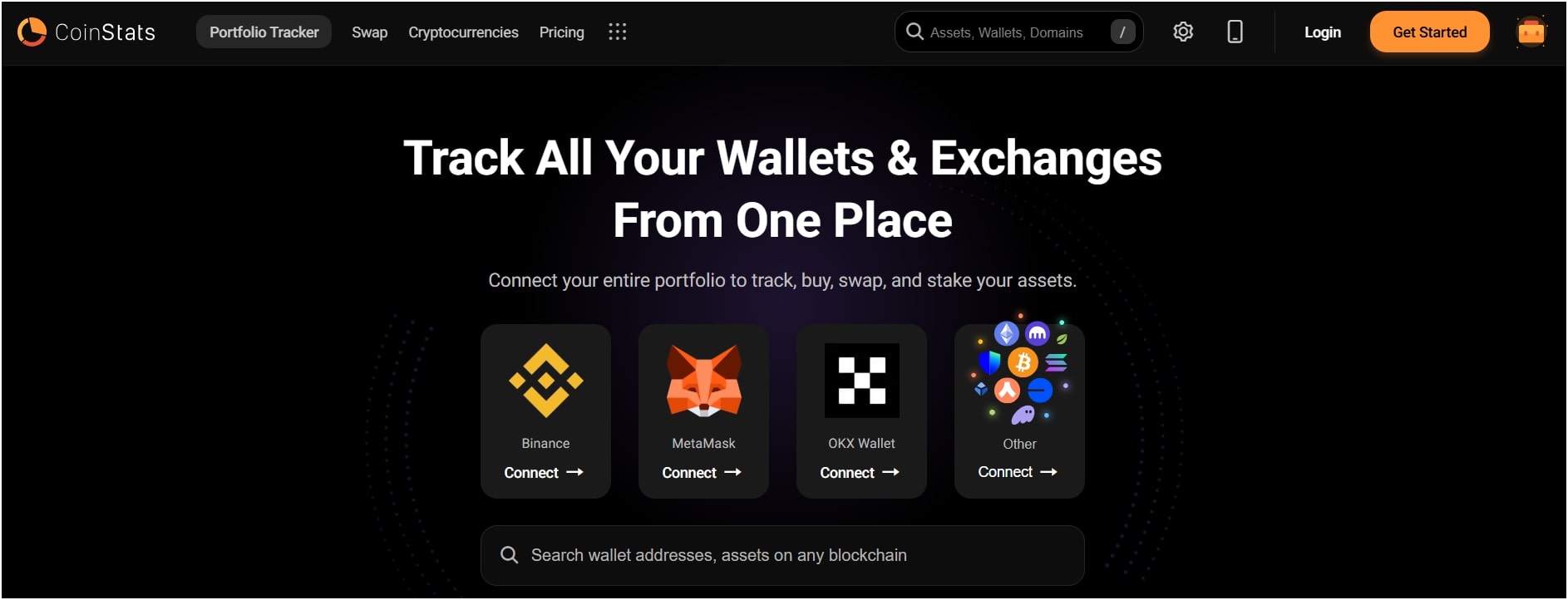 CoinStats is a leading crypto portfolio tracker that consolidates your crypto assets into a unified dashboard. It delivers a real-time overview of your crypto holdings across various platforms.
CoinStats was founded in 2017, and since then, it has expanded to serve over 1.2 million active monthly users. The app allows you to connect over 300 wallets and exchanges, including Binance, Coinbase, Kraken, and MetaMask (wallets). Additionally, it integrates with over 300 wallets and exchanges, supporting 100+ blockchains and 1,000+ DeFi protocols.. The extensive integration allows you to sync your trading history and transaction information automatically, eliminating manual data entry. CoinStats also enables tracking over 20,000 cryptocurrencies and tokens seamlessly.
CoinStats offers real-time price notifications, in-depth P/L analysis, and in-app coin swapping alongside tracking. Certain advanced features, such as AI-based exit strategies and more advanced transaction tracking (up to 100,000 transactions for Premium members), come with paid plans, which begin at $3.99 per month. The app also prioritizes security, employing encryption and not retaining private keys.
The advantages of using CoinStats include multi-platform portfolio tracking, comprehensive P/L analytics, real-time price alerts, staking and swapping features, multi-blockchain support, and ease of use.
The limitations and challenges of using CoinStats are a basic free version, $3.99/month premium costs, past security issues, and data sync issues with some wallets.
CoinStats works by linking your various cryptocurrency exchanges, wallets, and DeFi protocols and consolidating all your asset data into one dashboard. To use it, you typically need to start by linking your crypto accounts.
On an exchange like Binance or Coinbase, you’ll usually create an API key and secret key on their site. These keys are similar to a pair of credentials that CoinStats uses to “read” your account balance and transaction history, but they typically have “read-only” permissions. This implies that CoinStats can read your account data, but can’t move your funds or make trades on your behalf without your direct permission using its own wallet or swap functionality.
For wallets such as MetaMask or Trust Wallet, CoinStats connects by requesting your public wallet address. Since all transactions on a blockchain are public, CoinStats can look up all the coins and NFTs associated with that address directly from the blockchain itself. It then gathers all this scattered data, your balances from exchanges, your tokens in various DeFi protocols, and your NFTs, and presents it in a single, easy-to-understand dashboard.
Behind the scenes, CoinStats is constantly syncing this data. It uses these API connections and blockchain explorers to obtain real-time price updates and transaction information. This allows it to calculate your total portfolio value, show your profit and loss, and track your asset allocation as market prices change.
CoinStats also provides a swap feature that links to decentralized exchanges (DEXs) and liquidity providers to secure competitive rates for swapping, and thus plays an intermediary role to initiate trades directly from the wallet you have linked.

The key features of CoinStats include swapping and earning functionality, comprehensive analytics and insights, portfolio tracking, real-time alerts and market data, and extensive support for over 100 blockchains.
CoinStats not only supports portfolio tracking; it also lets you actually do trading, like swapping, earning, and buying, all through its integrated DeFi wallet. This is a valuable feature because it means you don’t have to keep switching between different apps or exchanges to manage your assets.
Beyond just trading, CoinStats also has an “Earn” feature for you. This usually involves connecting to DeFi (Decentralized Finance) protocols where you can stake your cryptocurrencies or even provide liquidity to earn rewards, like interest or extra tokens. For beginners, CoinStats offers options to purchase cryptocurrencies directly, often by connecting to fiat on-ramps where you can use traditional money (like USD or EUR) to purchase digital assets. This integration positions CoinStats as a comprehensive platform for active crypto users.
Another best feature of CoinStats is its analytics tools, which provide insights far beyond current balances. It dives deep into your portfolio to give you meaningful insights. For example, you can really see a detailed breakdown of your profit and loss (P&L), and this is both unrealized (for assets you still hold) and realized (for assets you’ve already sold).
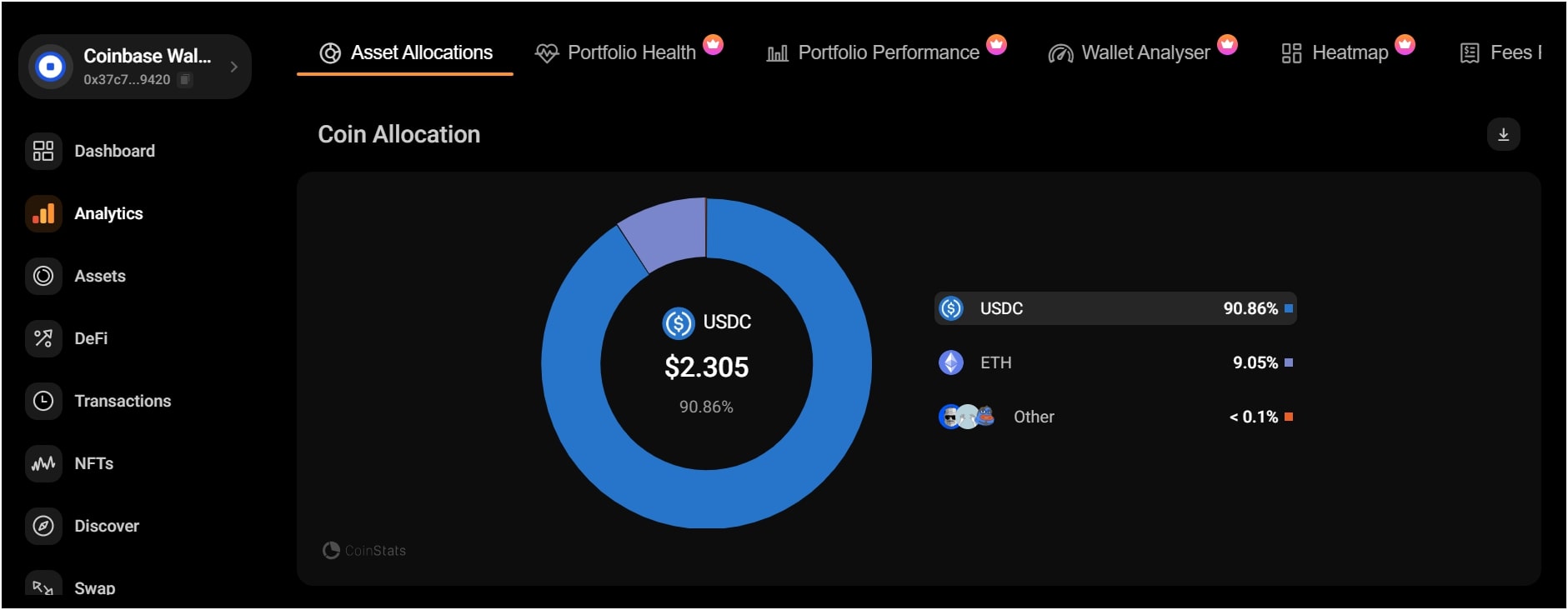
It also provides allocation insights, showing you how your investments are spread across different assets, categories (like DeFi, NFTs, or specific coin types), and even across different blockchains. These insights reveal whether your portfolio is diversified or overly concentrated.
Plus, CoinStats has a “health score” for your portfolio. Here, it’s trying to give you an overall idea of how well it’s doing based on various factors. All these analytical features are designed to empower you with data and help you make more informed decisions rather than just going by gut feeling.
Portfolio tracking is the core of what CoinStats does. It gives you a complete and organized view of your entire crypto portfolio, no matter where your assets are held. CoinStats allows you to connect to over 300 different exchanges (like Binance, Coinbase, and Kraken) and more than 1,000 DeFi protocols (like Uniswap, Aave).
This extensive integration consolidates nearly all your crypto, NFTs, and DeFi positions into one dashboard. You don’t have to log into multiple accounts anymore; everything updates automatically.
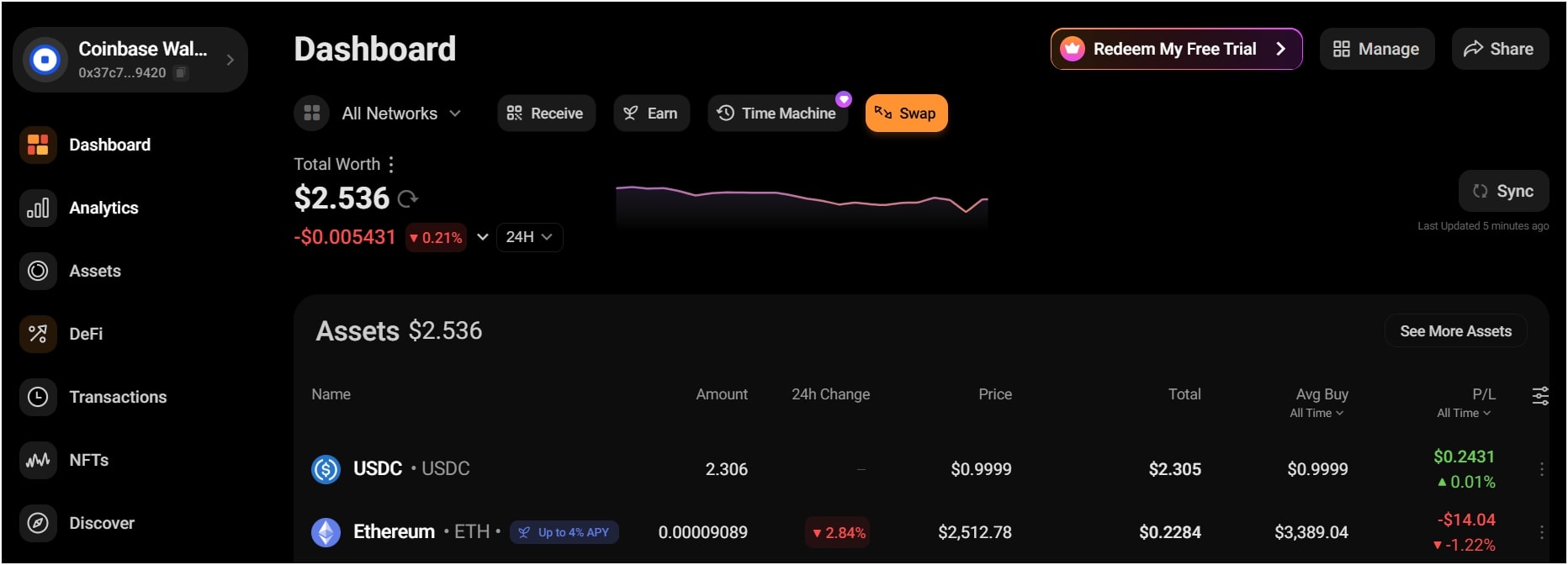
Once connected, CoinStats provides real-time performance updates. You can easily see your total portfolio value, how much it has gained or lost, and breakdowns by your individual assets. It simplifies what would otherwise be a very complex and time-consuming task of tracking various crypto investments across different platforms.
The analytics part, as mentioned before, then takes this raw tracking data and turns it into actionable insights, showing you profit/loss, asset allocation, and other key metrics. Essentially, it consolidates all your crypto activity into a unified view, making it much easier to monitor your investments and understand their overall performance without missing anything important.
You can set up custom alerts for almost anything you want to track. For instance, you can get notified immediately if a specific cryptocurrency reaches a certain price or if its trading volume changes significantly, and you can also set alerts for NFT collections, ensuring you know if a floor price drops or if a rare NFT is bought or sold. These alerts enable traders to respond swiftly to market changes.
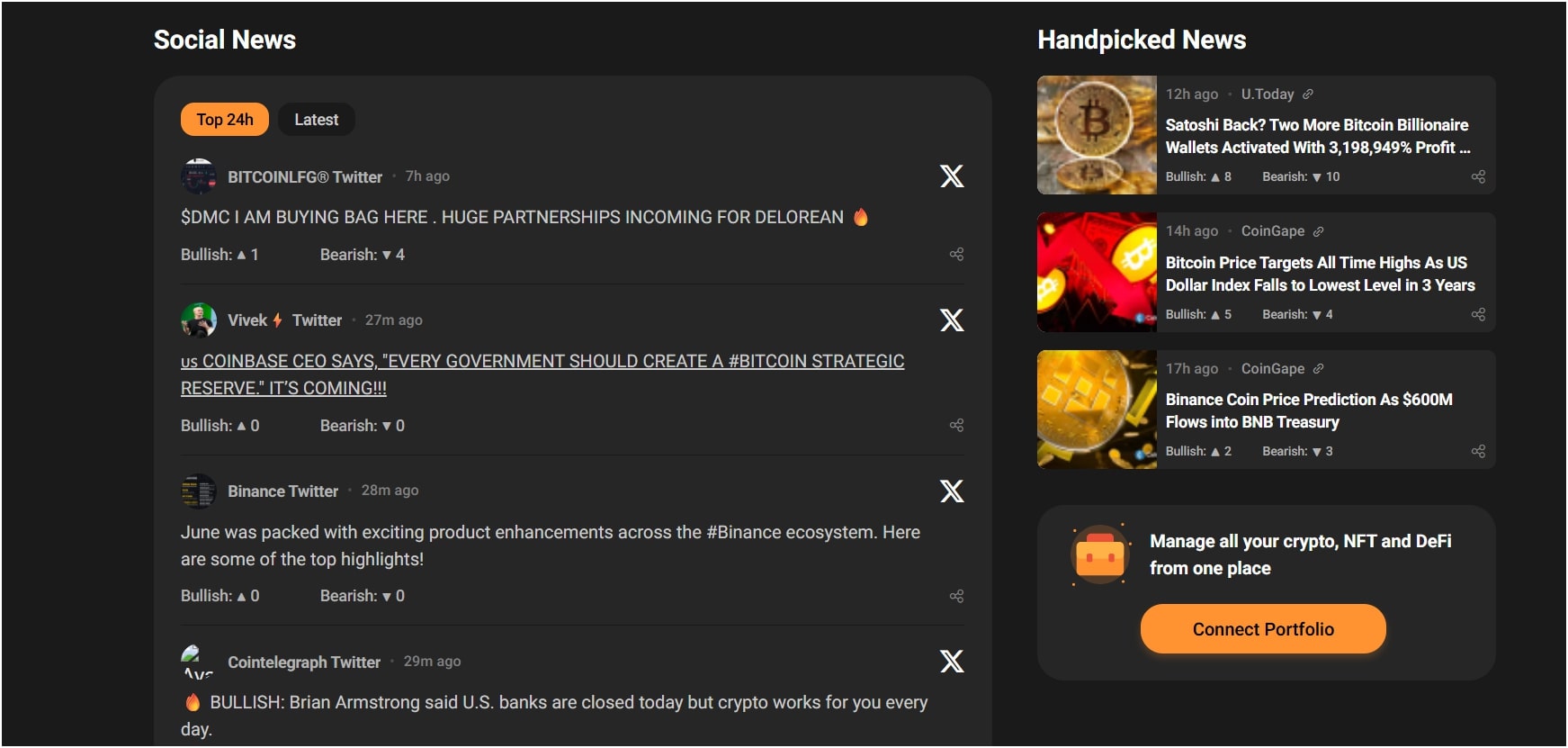
Beyond personalized alerts, CoinStats also provides general crypto market insights. It aggregates news from from 140+ crypto sources directly within the app and gives you a broad overview of what’s happening in the crypto space. This includes updates on major coins like Bitcoin and Ethereum, trending altcoins, regulatory news, and even some technological advancements.
The wide blockchain support is one of the strongest benefits of the CoinStats app, and it’s something that distinctly distinguishes it. When we say “blockchains,” we’re actually talking about the underlying networks that cryptocurrencies and NFTs run on, such as Ethereum, Bitcoin, Solana, Polygon, and dozens more.
CoinStats’ capability of supporting more than 100 different blockchains allows it to monitor a tremendous range of digital assets. This is extremely important since the crypto space is multi-chain, and many investors own assets across several different chains.
This widespread support means that users can connect wallets and exchanges that are on these different chains. So, if your assets are on some popular chain like Ethereum, a newer chain like Avalanche, or even some smaller one, CoinStats can probably bring them in. This will ensure your portfolio tracking is as comprehensive as it could possibly be, tracking all of your decentralized finance (DeFi) investments, non-fungible tokens (NFTs), and other cryptocurrencies, no matter what blockchain they are on. It basically erases the pain of having to use different tools for different chains and offers a genuinely unified tracking experience.
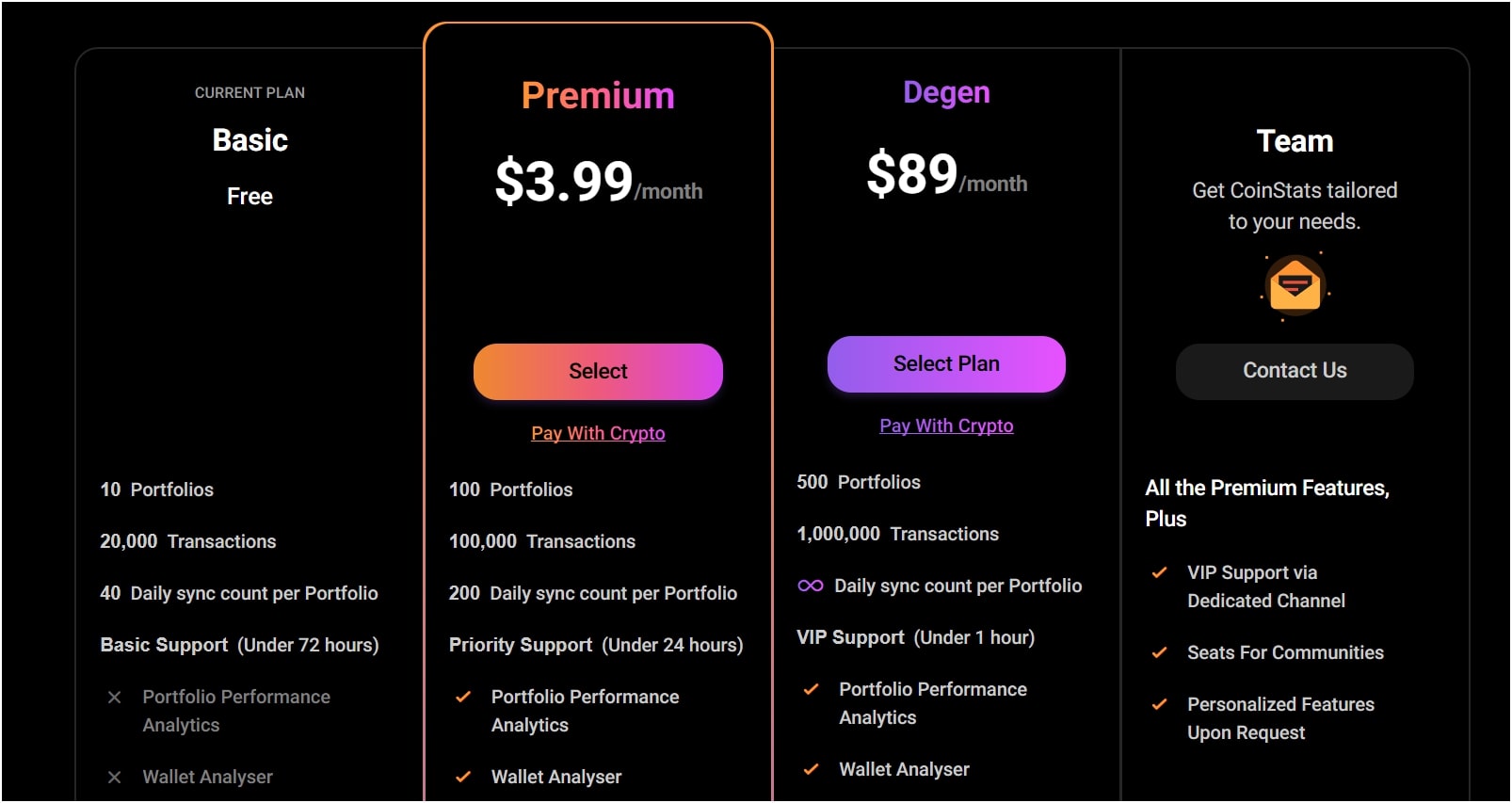
CoinStats offers a free plan and several premium subscriptions. The Premium plan starts at $3.99/month or $35.99/year. There is also a “Degen” plan that is more expensive, billed at approximately $89 per month. Plus, CoinStats even offers a 7-day free trial for its yearly Premium plan.
The free plan of CoinStats serves as a good entry point for individuals just starting out or those with smaller and less complex crypto holdings. The free plan allows connecting 10 portfolios and managing up to 20,000 transactions. It also allows for a limited number of daily data syncs per portfolio, which is around 40.
This means that while you can track your basic assets and see their real-time value, you might encounter some limitations on how frequently your data updates or how much historical transaction data you can review. Basic customer support is usually included, but response times may be slower for free users.
The CoinStats premium plan starts at $3.99/month. The Premium plan lets you connect up to 100 portfolios and manage up to 100,000 transactions. You also get 200 daily updates for each portfolio, so your data stays up to date all the time. One key benefit is high-priority customer support, with reply times usually within less than 24 hours.
Premium users access advanced portfolio tools, including wallet checkers, transaction alerts, and fee tracking, giving them a better understanding of their wallet activity. Ease of use is also improved with features such as 0% swapping fees, better coin details, and no ads.
Also, Premium plans usually come with advanced features like a portfolio heatmap, more detailed asset division checks, and more exact profit & loss tracking. Some of the more advanced plans, such as the “Degen” plan, take these limits even further, with support for up to 500 portfolios and 1,000,000 trades, as well as VIP help that guarantees replies in under an hour and even custom features when asked.
To get started with CoinStats, you first choose your platform and begin account creation, then navigate to portfolio connection, next link your exchanges and wallets, and finally finish up and view your consolidated portfolio.
To sign up for CoinStats, you need to decide where you’d like to use it. You can either visit their official website using any web browser on your computer, or you can download the CoinStats mobile app directly from the Apple App Store if you have an iPhone, or the Google Play Store for Android devices.
Once you’ve chosen your platform, look for a “Get Started” button. You’ll typically be asked to provide some basic information, like your email address, and to create a secure password. For an even faster setup, you might see options to sign up using your Google or Apple account. You can even use your crypto wallets like Coinbase Wallet or Trust Wallet.
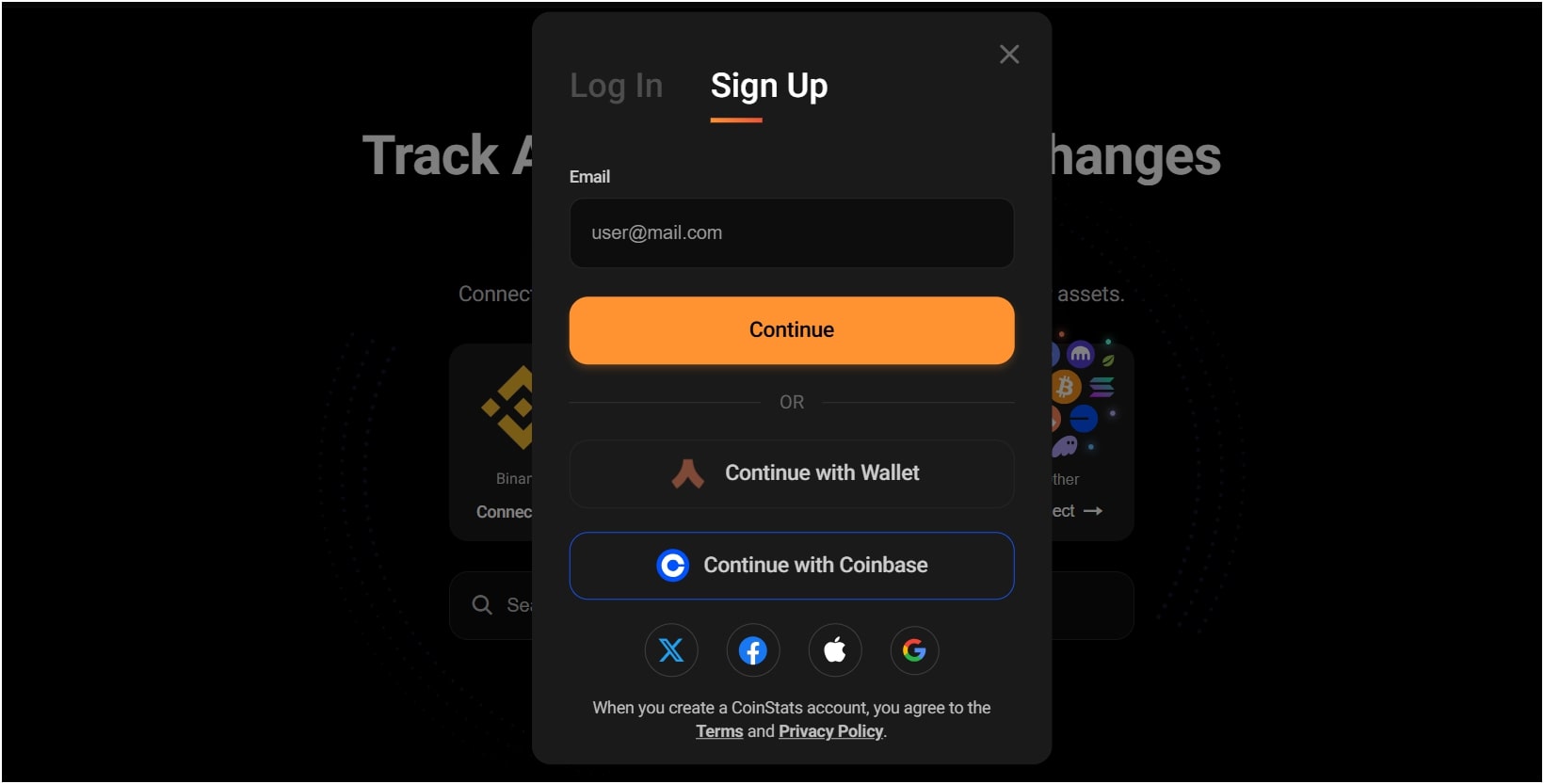
Step 1: Getting Started and Finding the “Connect Portfolio” Option
Next, once your account is successfully created, you need to tell CoinStats where your crypto is stored. This is how it gathers all your information. If you’re on the web version, keep an eye out for a “Connect Portfolio” button, which is often prominently displayed on your main dashboard. Tapping or clicking this will open up the various ways you can link your assets.
Step 2: Choosing Your Connection Method
CoinStats provides multiple methods to connect your assets. Once you’ve clicked on “Connect Portfolio”, you’ll usually be presented with options like:
Step 3: Link Your Exchanges and Wallets
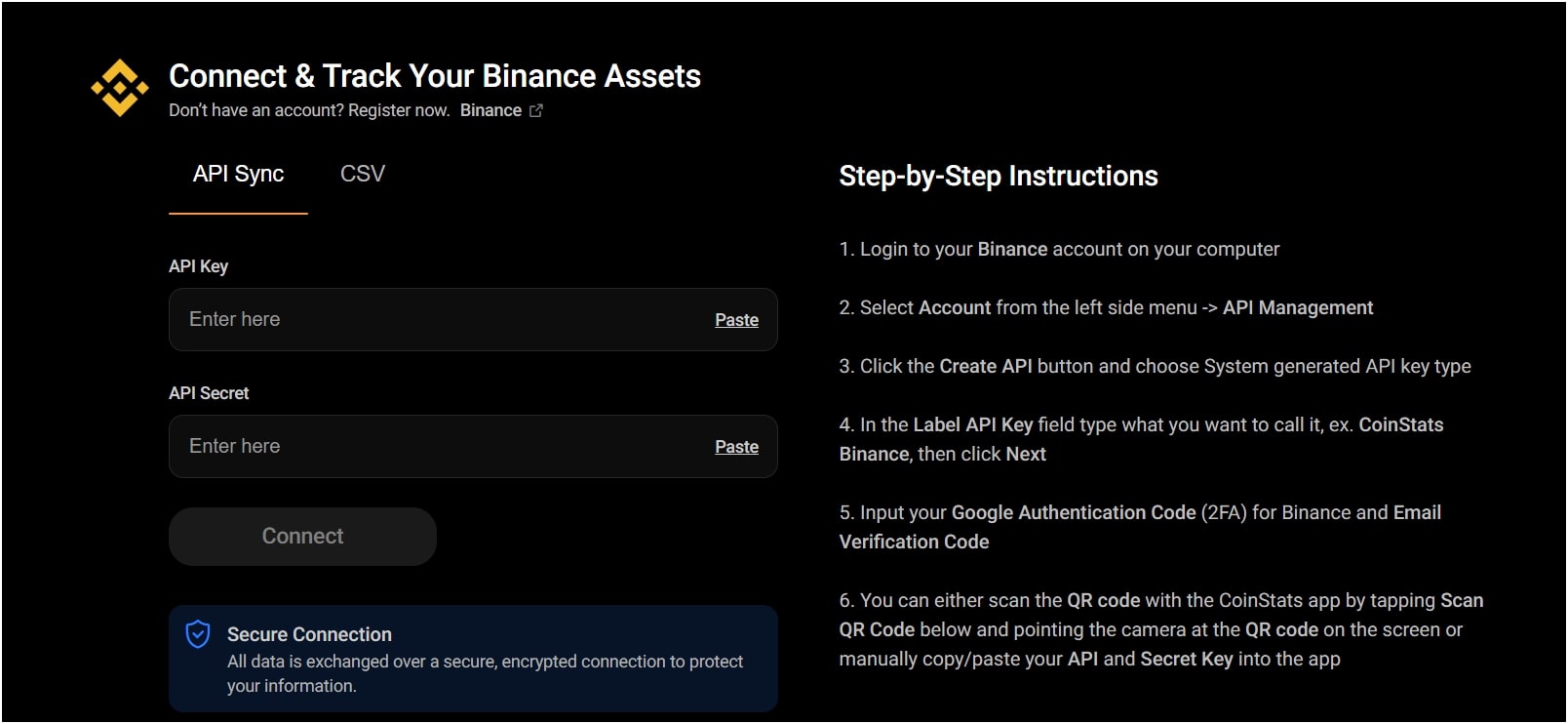
Now comes the part where you actually connect your crypto holdings. CoinStats offers several ways to do this. If you’re connecting a centralized exchange like Binance, Coinbase, or Kraken, you’ll usually be guided to a page where you need to input API keys.
To get these, you’ll first need to log into your exchange account, navigate to their “API Management” section (of course, the exact name might vary slightly by exchange), and create a new API key. Also, it’s very important here to set API key permissions to ‘read-only’ for security. This means CoinStats can view your balances and transaction history, but never make trades or withdraw funds from your exchange account, which is really a vital security measure. You’ll then copy the API key and API secret from your exchange and paste them into the designated fields in CoinStats.
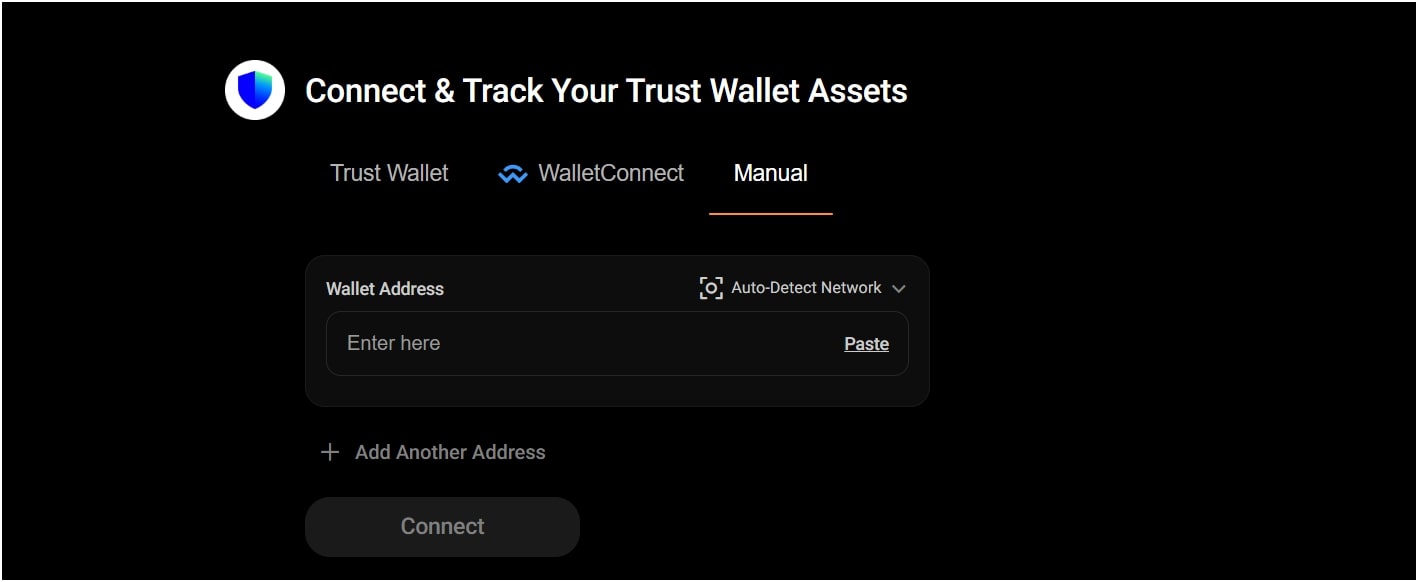
Again, for decentralized wallets such as MetaMask, Trust Wallet, or Ledger, the process is usually simpler. You’ll typically be asked to input your public wallet address, and since blockchain transactions are publicly viewable, CoinStats can use this address to automatically track your cryptocurrencies and NFTs held within that wallet. So, after successfully linking your accounts, CoinStats will begin to sync your data, which might take a few moments, and once completed, your consolidated crypto portfolio will appear right there in your CoinStats dashboard.
Step 4: Finishing Up and Viewing Your Consolidated Portfolio
After you’ve connected all your desired exchanges and wallets, CoinStats will begin the initial synchronization process. Note that this might take a few minutes, especially if you have a lot of transactions. Hence, once the sync is complete, you’ll be taken to your main CoinStats dashboard, and here, you’ll see all your crypto assets, NFTs, and DeFi positions consolidated into one single, real-time view.
You can then navigate through the different sections to explore your total portfolio value, profit/loss, asset allocation, and other insightful analytics. And that’s it, your CoinStats portfolio tracker is now set up successfully. If you want to buy crypto on exchanges without KYC, check out our MEXC review.
Yes, CoinStats is safe and legit, employing read-only API access for exchanges, no storage of private keys for wallets, robust data encryption, two-factor authentication (2FA), adherence to industry best practices and compliance, and transparent incident response.
No, you cannot directly withdraw traditional money or even cryptocurrency from CoinStats in the way you would from an exchange or a dedicated crypto wallet that holds your funds.
CoinStats is primarily the best cryptocurrency portfolio tracker and analytics platform, and its main purpose is to give you a consolidated overview of all your crypto, NFTs, and DeFi assets that are spread across various exchanges and wallets.
Now, CoinStats does offer an integrated “CoinStats Wallet” and features like Swap and Earn. These functionalities usually allow you to conduct transactions (like exchanging one crypto for another or participating in DeFi staking) using funds already present in a connected, self-custodial wallet or within the CoinStats Wallet itself.
Hence, if you want to withdraw actual money (fiat currency) or send cryptocurrency to another address, you’ll need to go back to the original platform where your funds are held, like your crypto exchange or your external decentralized wallet, and then initiate the withdrawal from there.
You need a crypto portfolio tracker to get a single, clear picture of your entire investment landscape. Managing crypto across multiple wallets and exchanges can get confusing very fast. Imagine having Bitcoin on one exchange, Ethereum on another, some NFTs in a separate wallet, and perhaps some altcoins being staked in a DeFi protocol.
A crypto tracker puts everything in one place, and it shows your total balance, profit/loss, and asset performance in real-time. You don’t have to log into five different platforms to check prices or balances, as you will easily get a full picture of your entire crypto holdings, no matter where they are.
Without a portfolio management app, you’d be constantly logging in and out of multiple accounts, trying to tally up your holdings and figure out your total profit or loss. This is not only time-consuming and prone to errors, but it also makes it nearly impossible to grasp your overall financial health in real-time. A good portfolio tracker connects to all these sources, automatically pulling in data so you can see everything in one place, instantly.
The post CoinStats Review: Is This Portfolio Tracker Safe and Legit in 2025? appeared first on CryptoNinjas.





