 Looking to get started with crypto derivatives trading on a safe crypto exchange? Below is a step-by-step guide on how to create and verify your account on BitMEX to get started with crypto derivatives trading.
Let’s dive in.
If you haven’t signed up for a BitMEX account yet, we’re currently offering $5,000+ worth of trading credits to new users – you can register here.
To ensure a smooth registration and KYC process, have the following readily available:
On the BitMEX homepage, locate and click the “Sign Up” button on the top right corner. This will take you to the registration screen where you will be asked to input your basic detai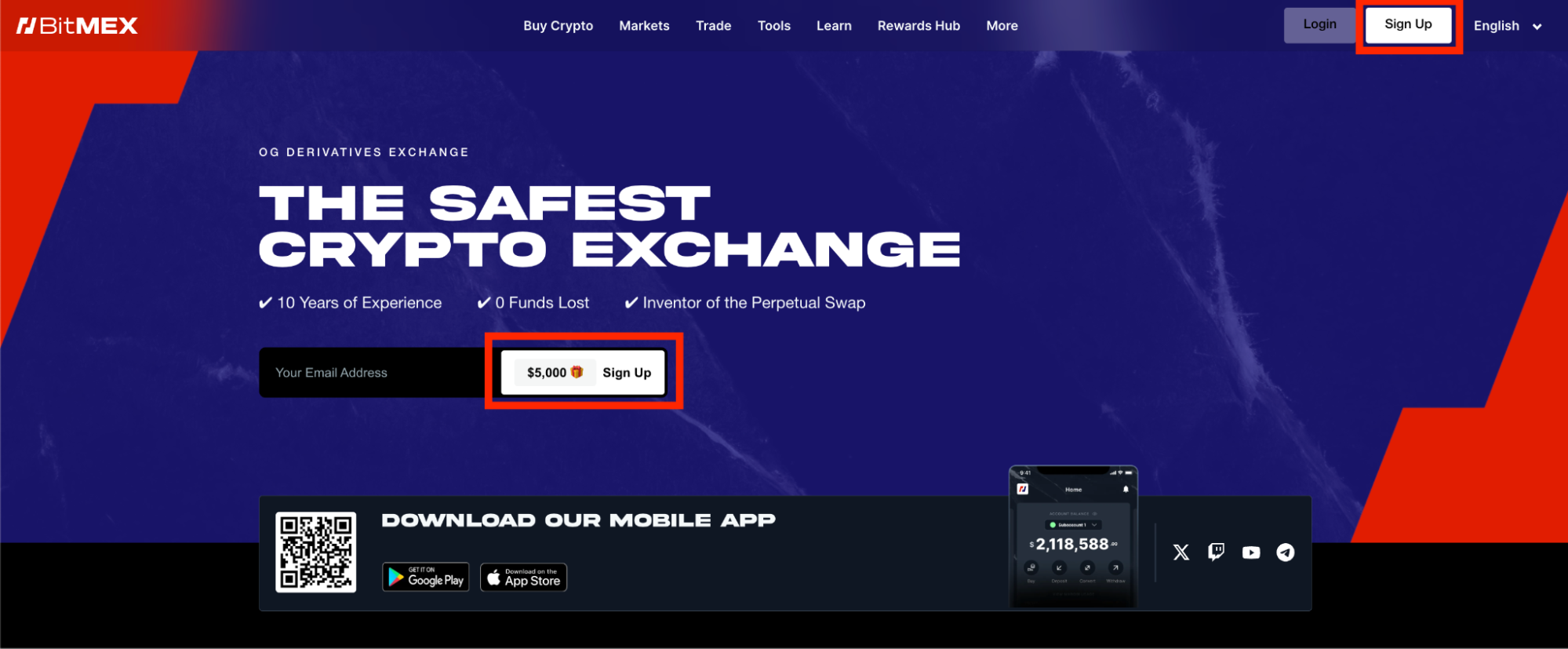
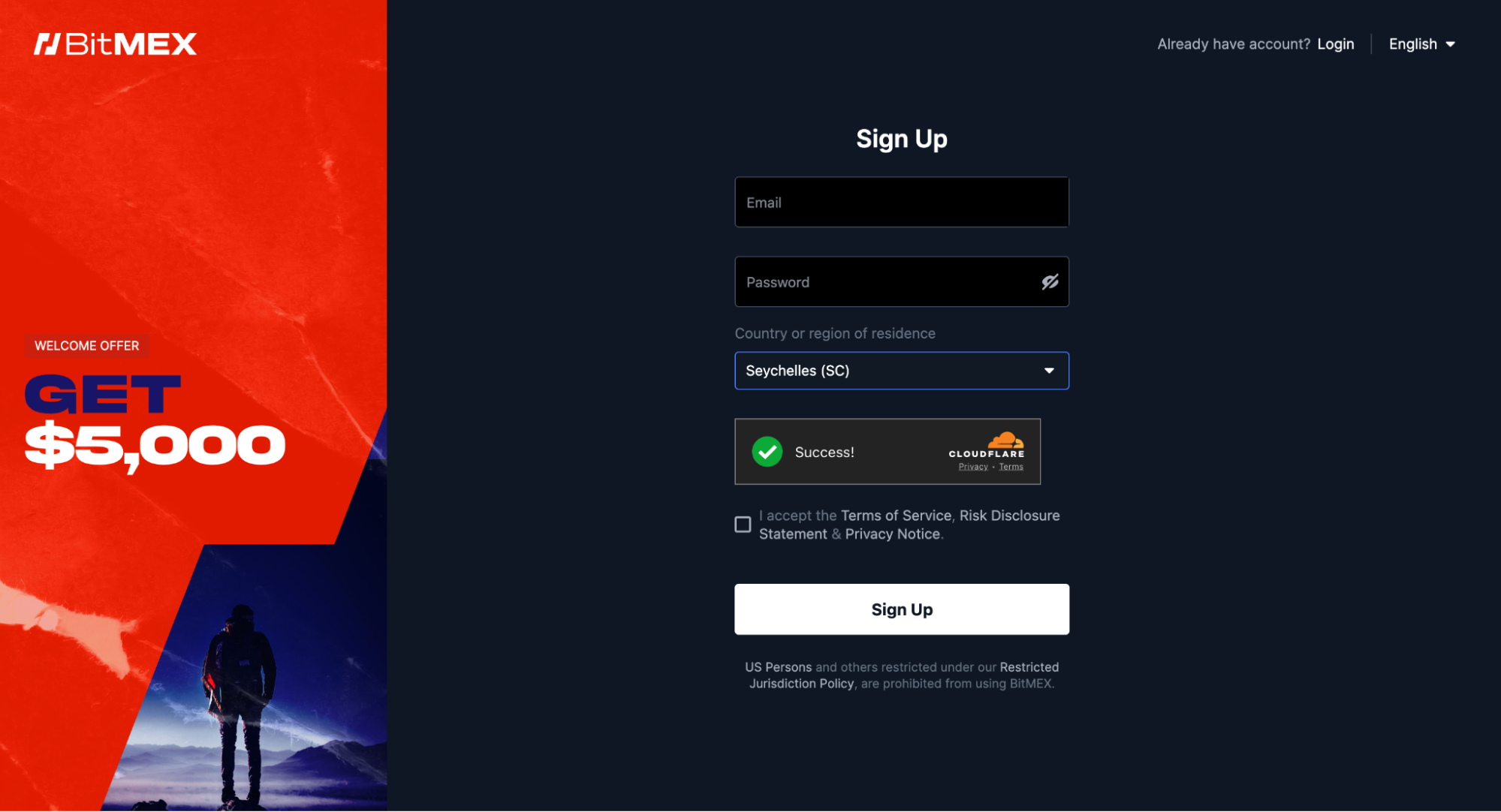 Once completed, click “Sign Up”. A confirmation email will be sent to your inbox; open it to verify your account and proceed to log in.
Note: US Persons and others restricted under our Restricted Jurisdiction Policy are prohibited from using BitMEX.
Once you log in with your account credentials, you’ll be prompted to choose between an “Individual” or “Corporate” account. For most users, “Individual” will be the correct option.
From there, you’ll be asked to specify a few items:
Next, you’ll be asked to enter your personal information:
BitMEX places the maintenance of its security and integrity at the forefront of user protection. A crucial step in this process is the implementation of a strong KYC (Know Your Customer) procedure, which is designed to prevent illicit activities such as money laundering, and to protect you from engaging with individuals who may pose a risk to the exchange or our users.
A critical part of KYC on BitMEX is the gathering of user identity proof.
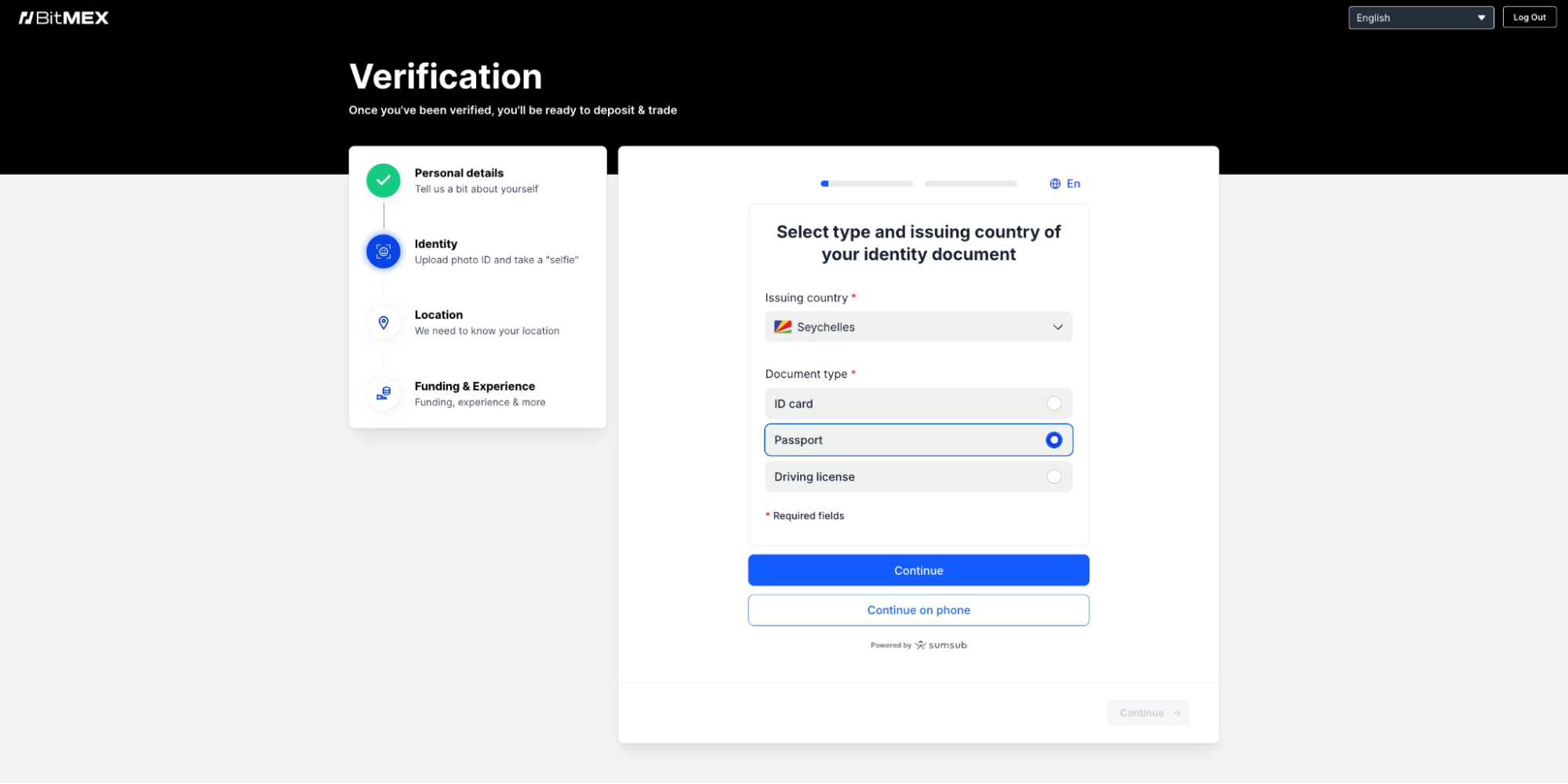
Once your ID photo is accepted, you will be asked to proceed to the next stage.
Next, you’ll be asked to complete a quick video verification to confirm you are a real person and the rightful owner of the ID uploaded.
If you did not enable browser location or if your location requires additional verification, you may be asked to provide a proof of address.
The final step to complete your BitMEX account set up is to provide a few details about your funding source and trading experience. This information helps BitMEX tailor your trading experience and ensure that it aligns with regulatory requirements.
Once the above steps are completed and approved, you will receive an email notification to fund your BitMEX account. To learn more about how to deposit funds into your newly created account, read our article here.
For more information on how to get started on the BitMEX platform, visit this page.
If you haven’t signed up for a BitMEX account yet, we’re currently offering $5,000+ worth of rewards to new users – you can register here.
To be the first to know about our new listings, product launches, giveaways and more, we invite you to join one of our online communities and connect with other traders. For the absolute latest, you can also follow us on Twitter, or read our blog and site announcements.
In the meantime, if you have any questions please contact Support who are available 24/7.
The post How to Create a BitMEX Account appeared first on BitMEX Blog.





