The Internet is no longer a safe place. Sometimes it seems that the Internet was designed to make it easy for governments, businesses, and snoops of all sorts to spy on regular people. So it is no surprise that vast numbers of people are using VPNs to protect themselves.

But even the best commercial VPN services have their weaknesses. That’s why more and more people are looking to create their own VPN.
In this article, we’ll look at the various reasons to set up your own VPN as well as reasons not to do so. We’ll also talk about three ways to get the job done and look at one of them in more detail.
By the end of this article, you should have a good sense of whether or not setting up your own VPN makes sense for you, and which approach you would like to take.
There are lots of reasons to use a VPN in today’s world. But since you are here, we assume you already know why you need a VPN. We further assume that you are trying to decide between using a commercial VPN Service like ExpressVPN or NordVPN or creating your own VPN.
To help you make that decision, here are some good reasons to setup your own VPN instead of subscribing to a commercial service:
While there are some good reasons to set up your own VPN, there are also a lot of reasons not to do so. These include:
If you are considering setting up your own VPN, you’ve probably got all the basics down already, but just in case, we’re going to start at the beginning. If you are clear on this stuff already, go ahead and skip ahead to, “Three Ways to Setup a VPN of Your Own.”
When you connect your device to an Internet resource without a VPN, the contents of the messages going back and forth are potentially visible to snoops. In addition, for the Internet to know where to send the messages, each message must expose a header that contains your IP Address as well as the IP address of the Internet resource you are connected to.
So everything is visible to snoops with the right tool.
Many Internet resources try to stop snoops with HTTPS. This is an Internet protocol that automatically encrypts the contents of messages. This can definitely help since it prevents snoops from seeing the contents of the messages going back and forth.
But HTTPS doesn’t do anything to prevent snoops from seeing that you (a device at your IP Address to be more precise) are communicating with that particular Internet resource. Using a VPN eliminates this problem. Here’s why:
A VPN addresses this problem by putting a VPN Server in the middle of the conversation. The VPN Server sits between your device and an Internet resource. Your device only connects to the VPN Server. The Internet resource only connects to the VPN Server. The VPN Server passes messages back and forth between your device and the resource.
This helps because the VPN Server uses its own IP Address when communicating with the resource on behalf of your device. Anyone spying on the connection between the server and the resource would only see the IP Addresses of the VPN Server and the Internet resource. Your privacy is protected on this part of the connection because no one looking at this connection can see your IP Address.
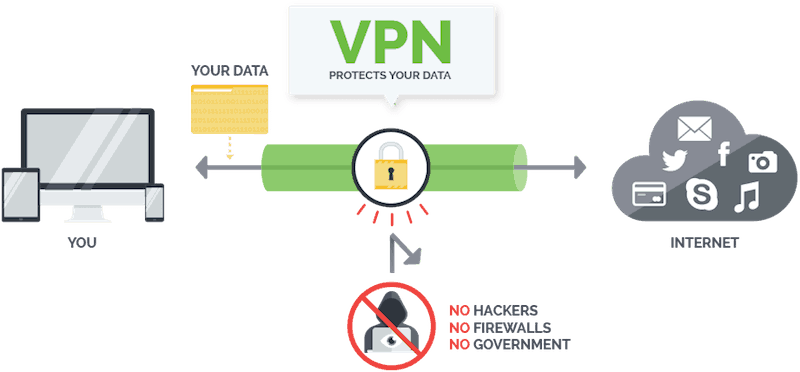
But that still leaves the connection between the VPN Client and the VPN Server. To address this part of the problem, the client and server encapsulate messages passing between them. That is, they encrypt the entirety of the messages between the device and the resource. Then they include the encrypted messages inside another message. This second message is what goes back and forth between the client and the server.

The advantage of doing this is that only the second message’s header information needs to be visible to the world. And all that message’s header can reveal is that your device and a VPN Server are communicating with each other. Snoops can’t see anything of the original message because the whole message, including the header, is encrypted in the body of the outer message.
At the VPN Server, messages coming from your device are extracted from the body of the outer message and decrypted. Then, in the header of your device’s message, the IP Address of your device is replaced by the IP Address of the VPN Server. This modified message is what gets sent to the Internet resource.
Messages coming from the Internet resource arrive at the VPN Server. There, the IP Address of the VPN Server gets replaced by the IP Address of your device. This modified message then travels down the tunnel to the VPN Client in your device, where it is extracted, decrypted, and passed along to your device as if the VPN wasn’t in the middle of everything.

As we’ve just seen, the VPN Server is the core of a functional VPN. In the rest of this article, we will look at ways to set up your own VPN Server and ignore the VPN Client. There are two reasons for this.
As it turns out, setting up your own VPN Server is plenty complicated enough for one article. We’ll start exploring this topic by looking at the three ways to set up a VPN server of your own.
There are three ways to setup your own VPN Server. The way you go will depend on what you plan to do with the VPN and what hardware you will be using. You can set up the VPN Server:
Let’s look at each of these options in more detail.
Some home and business routers have a VPN Server built right into them. To use it, you simply need to log into the router, then turn on and configure the VPN Server. If your router has this capability, the manual that came with it should give you instructions on how to activate it. If not, a search formatted something like this should lead you to those instructions:
A more common situation is where your router doesn’t have a built-in VPN Server but “supports” one. This typically means that you can install third-party firmware on the router and that when the right firmware is installed, the router will be able to function as a VPN Server.
Three types of third-party router firmware are the most popular. These are:
Not all routers support these firmware packages. To find out if yours does, you’ll either need to dig through your router’s documentation or check the site of the firmware you want to use.
Even if your router does support one of these firmware packages, installing new firmware on a router is not a job for a computer beginner. While the sites provide detailed instructions for installing their firmware, there is a lot more involved than running an install program.
And one possible result of making a mistake is turning your router into a useless piece of junk that you can only throw away.
Here’s a high-level view of the DD-WRT installation process:
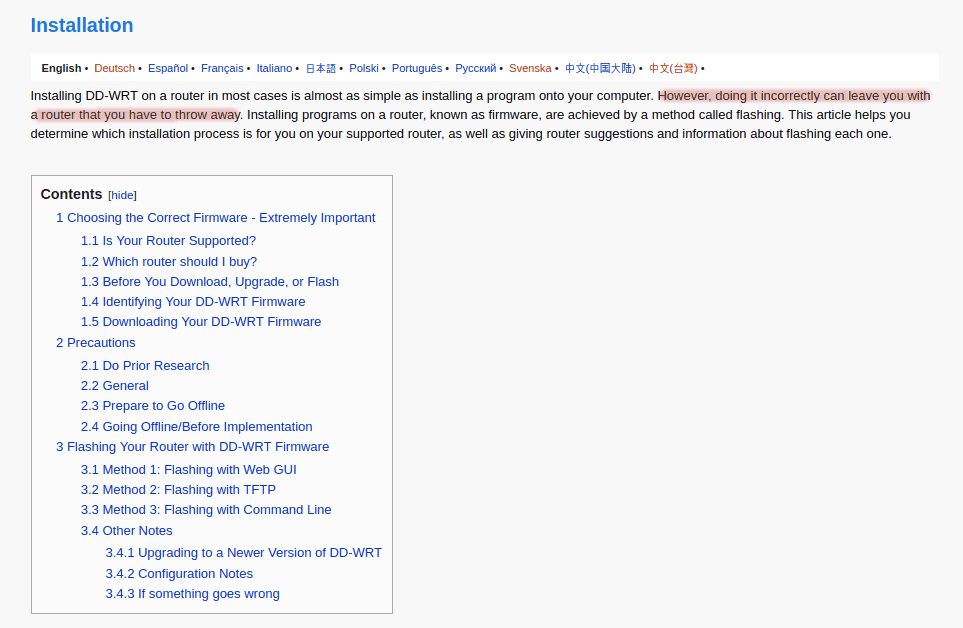
As you can see, this isn’t a spur of the moment project. But if you do decide you want to give it a go, you’ll find more information in our guide on ‘How to Set up a VPN on a Router.’
If your router doesn’t support third-party firmware, or you don’t want to take the chance of wrecking it, you can install a VPN Server on one of your own computers. Doing this will allow you to have access to files on the computer that hosts the VPN Server, as well as resources on your network that are accessible from the computer.
The easiest route is to use a Windows or Mac desktop that you are willing to leave running 24 hours a day. After all, a VPN Server does you no good if the computer it runs on is turned off when you need it.
A slightly geekier approach is to take a small device like a Raspberry Pi and turn it into a dedicated VPN Server. This approach has the advantage of not tying up a larger, more expensive, more power-hungry computer for this single task.
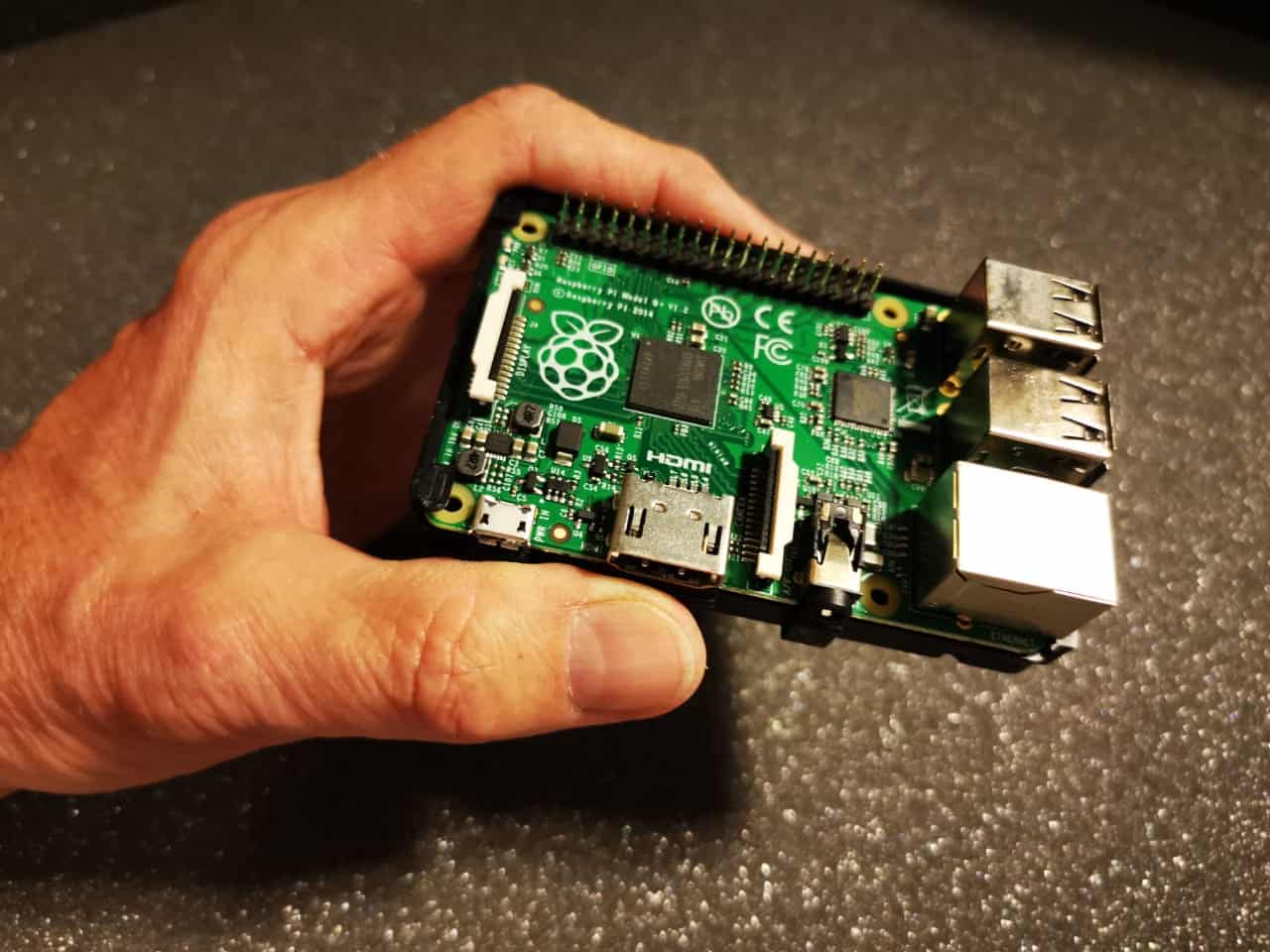
Even a Raspberry Pi is potent enough for a basic VPN Server.
While this is a cool way to go and appeals to the geek side of your author, there are a few disadvantages to this approach:
If this approach appeals to you, we suggest you visit the PiVPN site. It shows you how to set up OpenVPN on a Raspberry Pi with a minimum of fuss and bother. Or watch this video:
Setting up a VPN Server on a cloud service eliminates the need for your own hardware. You don’t need to hack your router or dedicate a computer to playing the role of VPN Server. This can be a convenient way to go.
But there are drawbacks to this approach as well. When you set up a VPN Server on a cloud service, you do so by installing software on a virtual machine running on the cloud services servers. This means that your VPN Server will be slow since it will be running on distant, simulated hardware.

It also means that you need to trust the cloud service completely. Everything you do will happen on their hardware, using their virtual machines. This leaves you with the same problem as using a commercial VPN Service: you need to trust a third-party.
The difference here is that commercial VPN Services sell themselves on their commitment to protecting your privacy. Services like ExpressVPN and NordVPN base themselves in jurisdictions where your privacy rights are protected. They cannot easily be forced to log your activities and share that information with the NSA, MI6, or whoever else is out there trying to spy on you.
Cloud services have a very different business model and are often based in places like the USA, where your privacy is not well protected. In our opinion, the chances that a cloud service would log your activities on their own, or be pressured into it by their local government, are much higher than with a top-notch commercial VPN Service.
One of the triggers for writing this article was seeing some online claims that it is quick and easy to set up a VPN Server on a cloud service. With people claiming you could have a VPN Server up and running in 10 minutes for only a few dollars a month (or even free for the first year), we thought we should investigate.
What we found was not encouraging.
The approaches we found a FOSS VPN Server called Algo. Algo seems to be a great software and works as advertised. It provides encrypted communications between your devices, and the Algo VPN Server running on Amazon EC2, DigitalOcean, Microsoft Azure, and other similar services.

But it doesn’t give you anonymity, and it doesn’t support the commonly-used OpenVPN protocol.
The problems come in with fast and easy claims. Unless you are a computer tech with Linux experience, setting up Algo isn’t easy or fast. It takes around 20 steps, many of which are done on the Linux command line. We had an experienced engineer set up Algo on DigitalOcean, and it took about 45 minutes.
To give you an idea of what you will need to deal with if you decide to install Algo on a cloud service, here are selected screenshots of the process.
First, you need to set up an account at the service (DigitalOcean in this example):
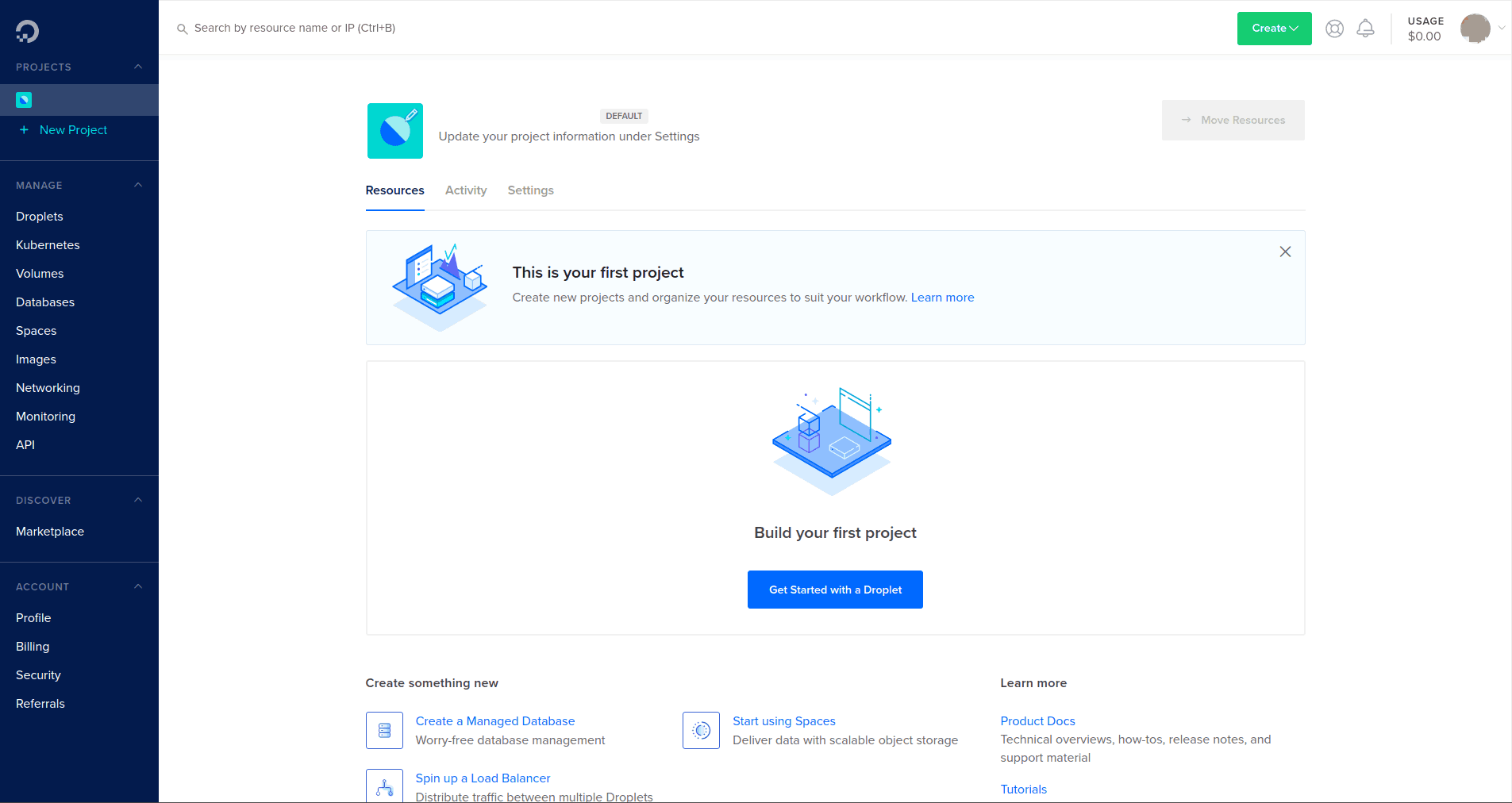
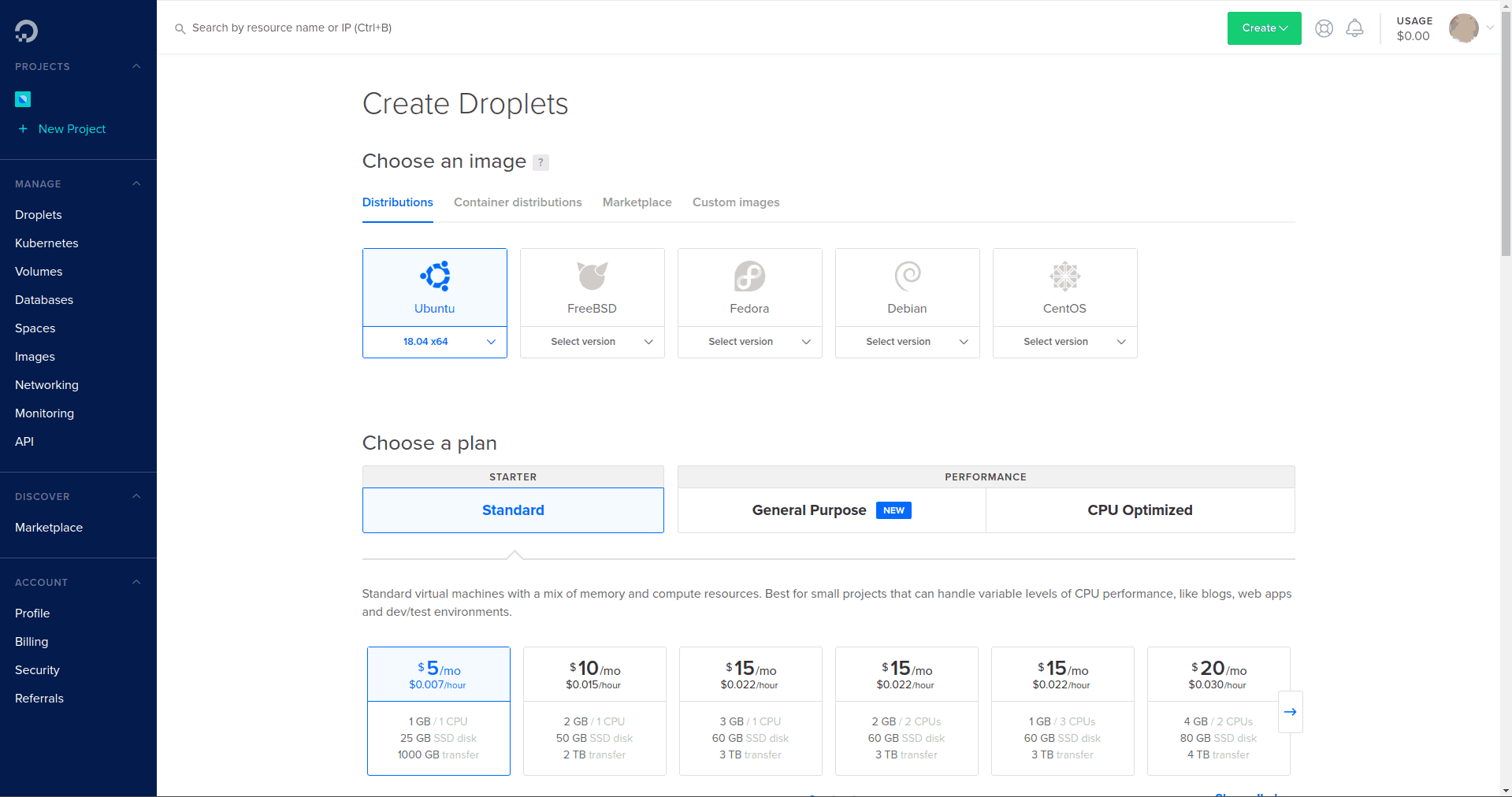
Clicking the Get Started with a Droplet (the DigitalOcean version of a virtual machine) gave us the options shown in the next screenshot. We created a Droplet running Ubuntu 18.04 by clicking the relevant button and selecting the plan we wanted:
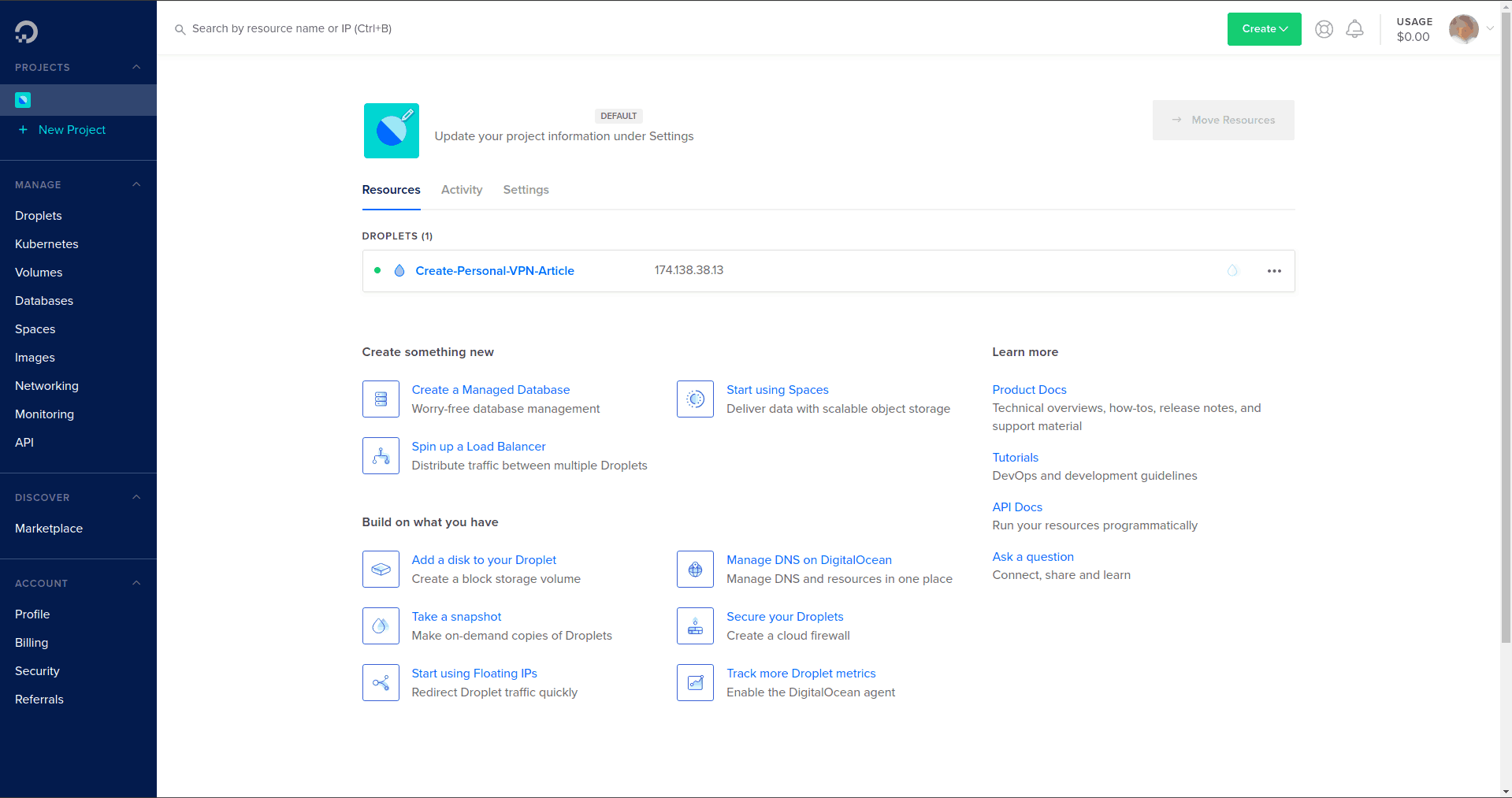
After a few minutes of waiting while DigitalOcean created the Droplet for us, we had a virtual machine running Ubuntu 18.04 ready to roll:
We logged into the Droplet and followed the instructions in the Algo Github repository to download and extract the Algo files, install Algo core and remaining dependencies. Then we opened the Algo Config.cfg file and edited it to include the list of users who would be able to log into the VPN:
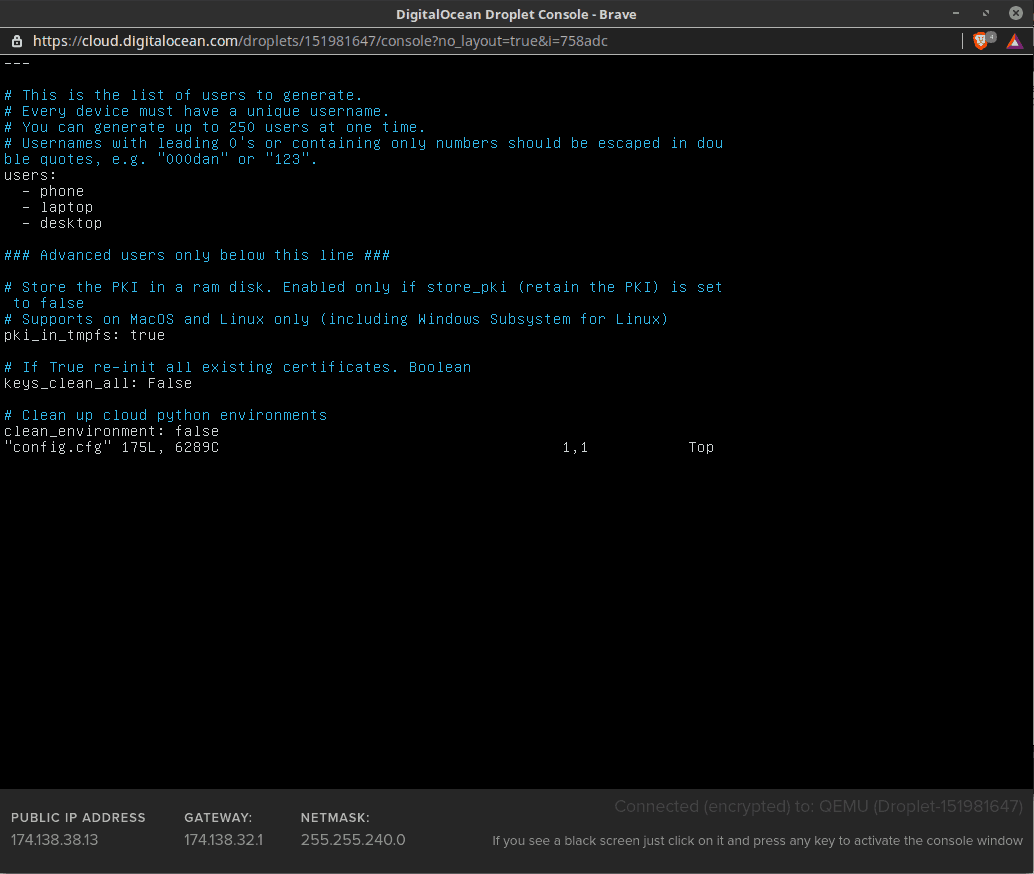
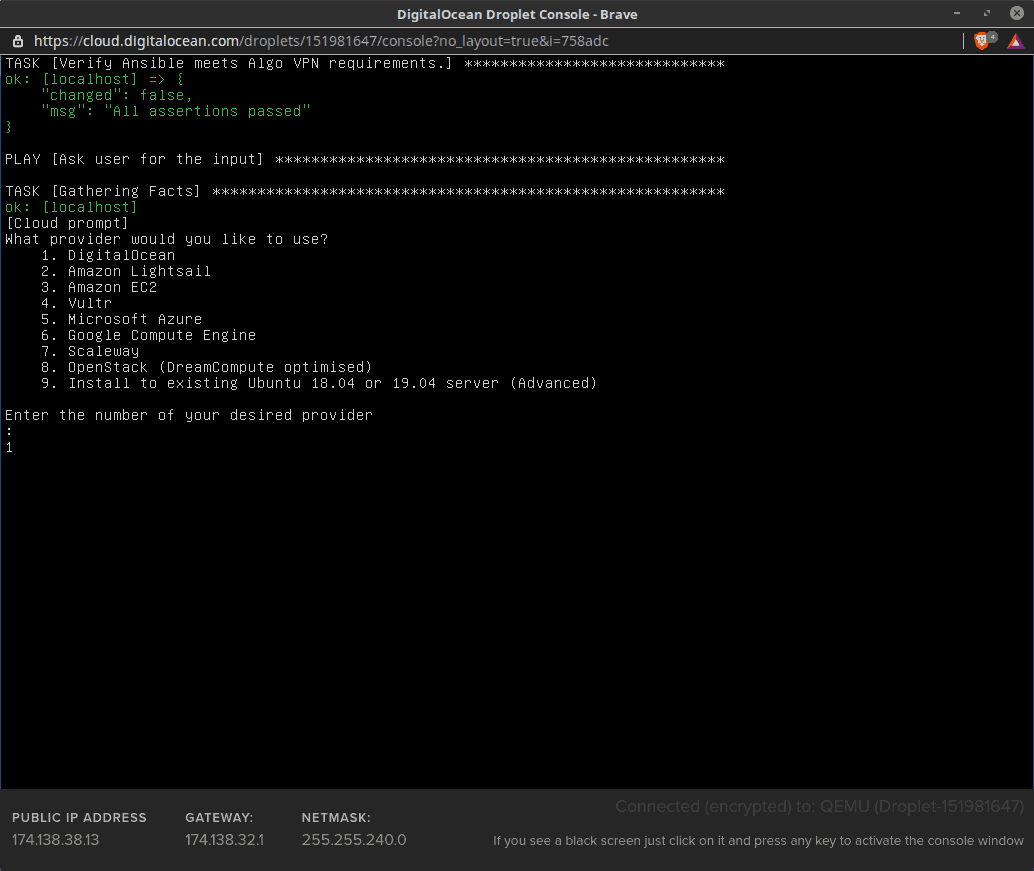
With all that out of the way we launched the Algo installer, and selected the DigitalOcean option:
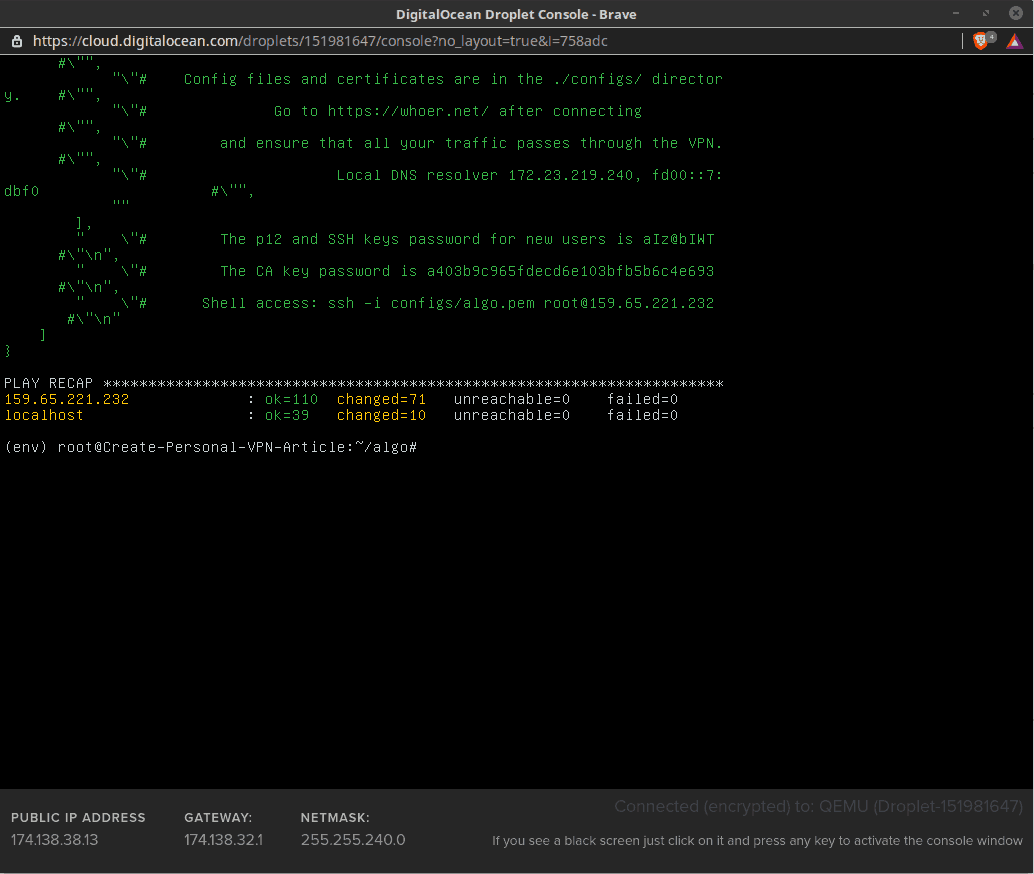
The Algo installer uses the DigitalOcean API to do most of the configuration work, so we sat back and waited about 15 minutes for the installation to finish.
As mentioned in the following screen capture, there are several values you must copy from the console once the installer finishes its work. Without these, you will not be able to add new users later:
With that, the Algo VPN Server is installed in a DigitalOcean Droplet.
Now all you have to do is manually configure every client device that will connect to the server. Depending on the device, setting up the client could be pretty easy, or not so easy. As with setting up the server, the Algo Github page has links to the details of setting up clients on various popular types of devices.
When you finish that task you will have a fully functioning VPN Service of your own. It will be a slow VPN. You will need to trust that DigitalOcean won’t snoop on you as we discussed earlier. And because it has only a single server, it will be of limited use compared to commercial VPN Services, but it will be yours.
Despite the articles talking about the benefits of doing so, we really can’t see much reason to create your own VPN using a cloud service other than as an exercise for hardcore techies.
There are some privacy and security advantages of setting up your own VPN. These are most pronounced when you set up a VPN Server on your own hardware. In this article, we looked at three ways to get the job done, two of which involve setting up the server on your own hardware.
This table summarizes the pros and cons of each of the three approaches, as well as those of using a commercial VPN Service.
| VPN Server on Your Own Router | VPN Server on Your Own Computer | VPN Server on Cloud Service | Using a Commercial VPN Service | |
| Protects | Entire Network | Specific Devices | Specific Devices | Specific Devices or entire network depending on service selected |
| Privacy | No need to trust third-parties | No need to trust third-parties | Cloud Service could log activities | VPN Service could log activities |
| Security | Good | Good | Low | Best |
| Speed | Medium | Slow | Slowest | Fastest |
| Ease of Setup | Medium | Low | Low | High |
| Ease of Maintenance | Medium | Low | Low | High |
As we’ve seen, while setting up a VPN Server for your own use is doable, it can be a lot of work and requires much more technical expertise than simply subscribing to a commercial VPN Service.
If you do decide to go this route, remember that you’ll also need to set up VPN Clients for each device you want to connect to your server. If the VPN Server documentation doesn’t have instructions you need, you should be able to find them with a quick web search.
If setting up your own VPN isn’t for you, we suggest you check out our review of the Best VPN Services for 2023. To help you decide between them, we organized them by use case, best VPNs for beginners, best for streaming, best for use on mobile devices, and so on.
What is a VPN Server?
What is Internet Protocol?
What is Network Encapsulation?
Note: This article was last updated In December 2023.
How to Make & Setup A VPN Server – 2023 In-Depth DIY Guide was originally found on Blokt - Privacy, Tech, Bitcoin, Blockchain & Cryptocurrency.





