Whether you are an experienced trader or new to the crypto space, understanding your platform is key to executing your trades. The difference between a profitable trade and a losing one often depends on whether you’ve executed the trade properly and managed your risk effectively.
At BitMEX, our goal is to provide traders with the most powerful tools available to maximise their trades. This article is a step-by-step guide on placing your first trade on BitMEX and managing your positions.
1. Fund your BitMEX Account
Learn how to make an on-chain deposit here or purchase crypto with your choice of payment, including bank transfer and credit cards.
If you haven’t signed up for a BitMEX account yet, we’re currently offering $5,000+ in rewards to new users – you can register here.
2. Understand Your Margin Mode
Each contract on BitMEX is margined in a specific currency, either Bitcoin (BTC) or Tether (USDT), and can be traded with up to 250x leverage.
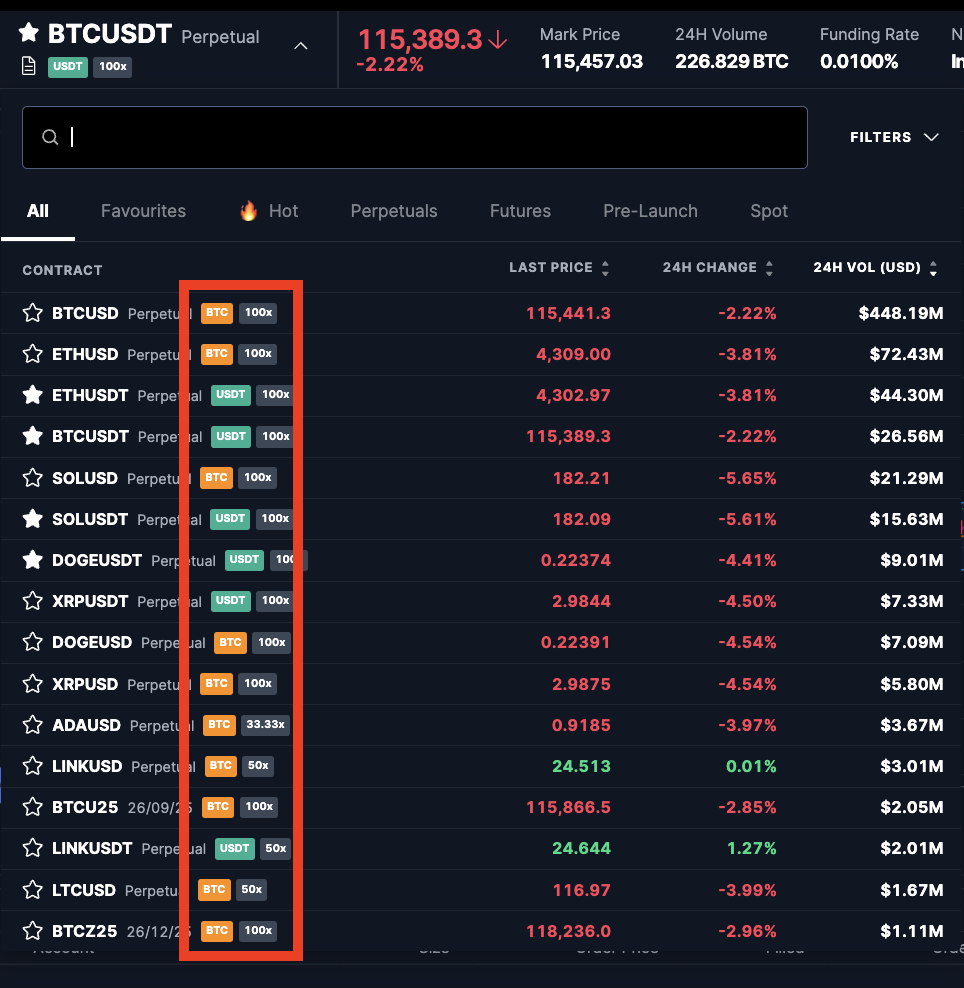
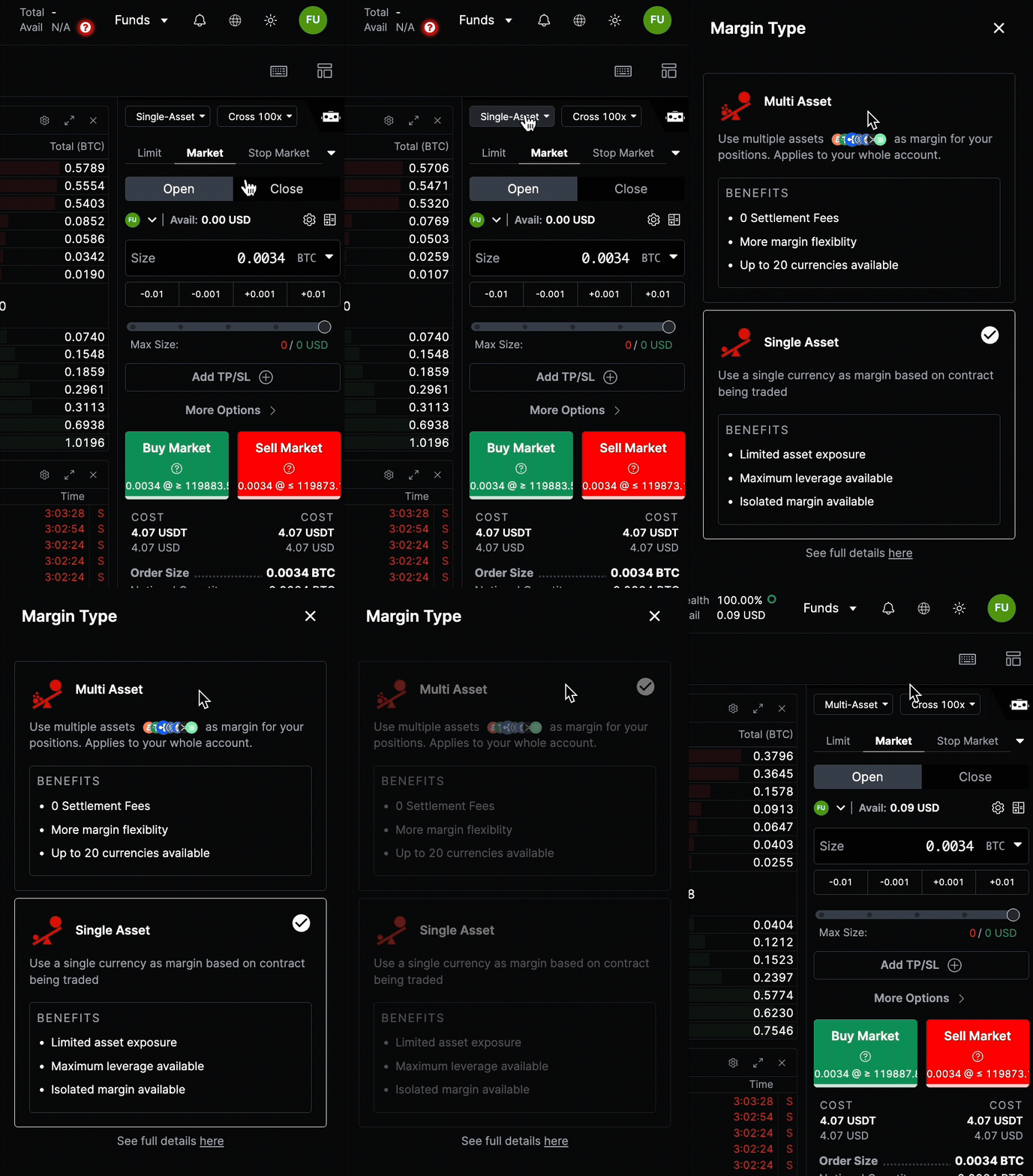
To simplify your trading experience, you can enable Multi Asset Margining. This feature allows you to use any asset as collateral for derivatives trades, removing the need for internal conversions. For example, you can trade a BTC-margined contract using USDC as collateral.
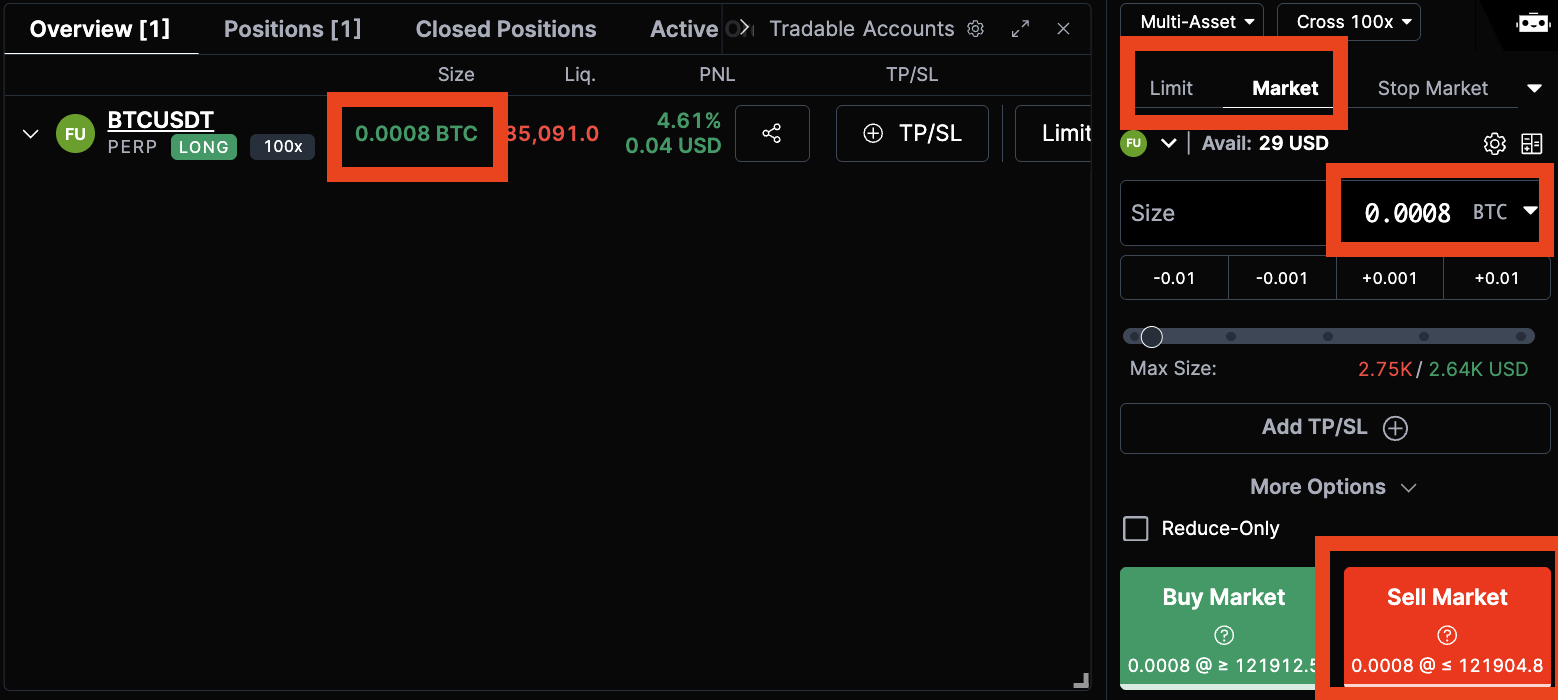
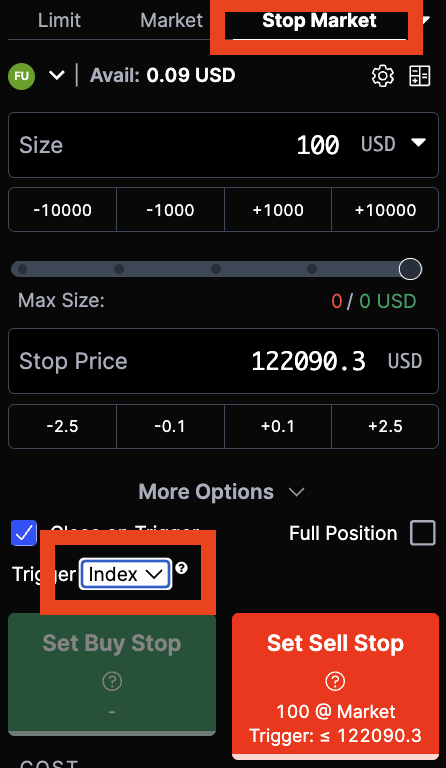
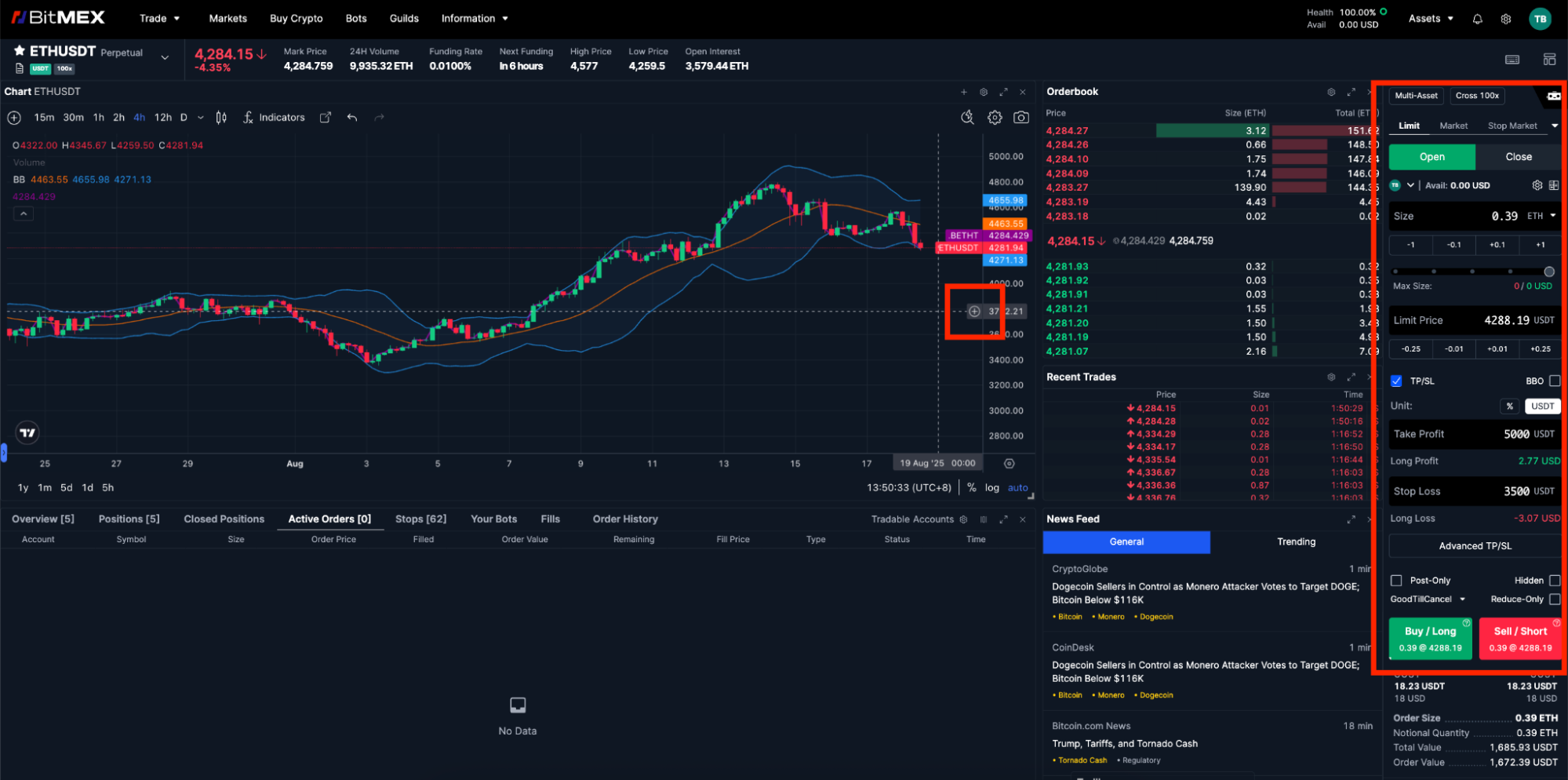 To place a trade, use the Order Controls panel located on the side of your trading interface. On BitMEX, you have several order types available to you. Some of the most popular order types include:
For more information on order types, refer to this article.
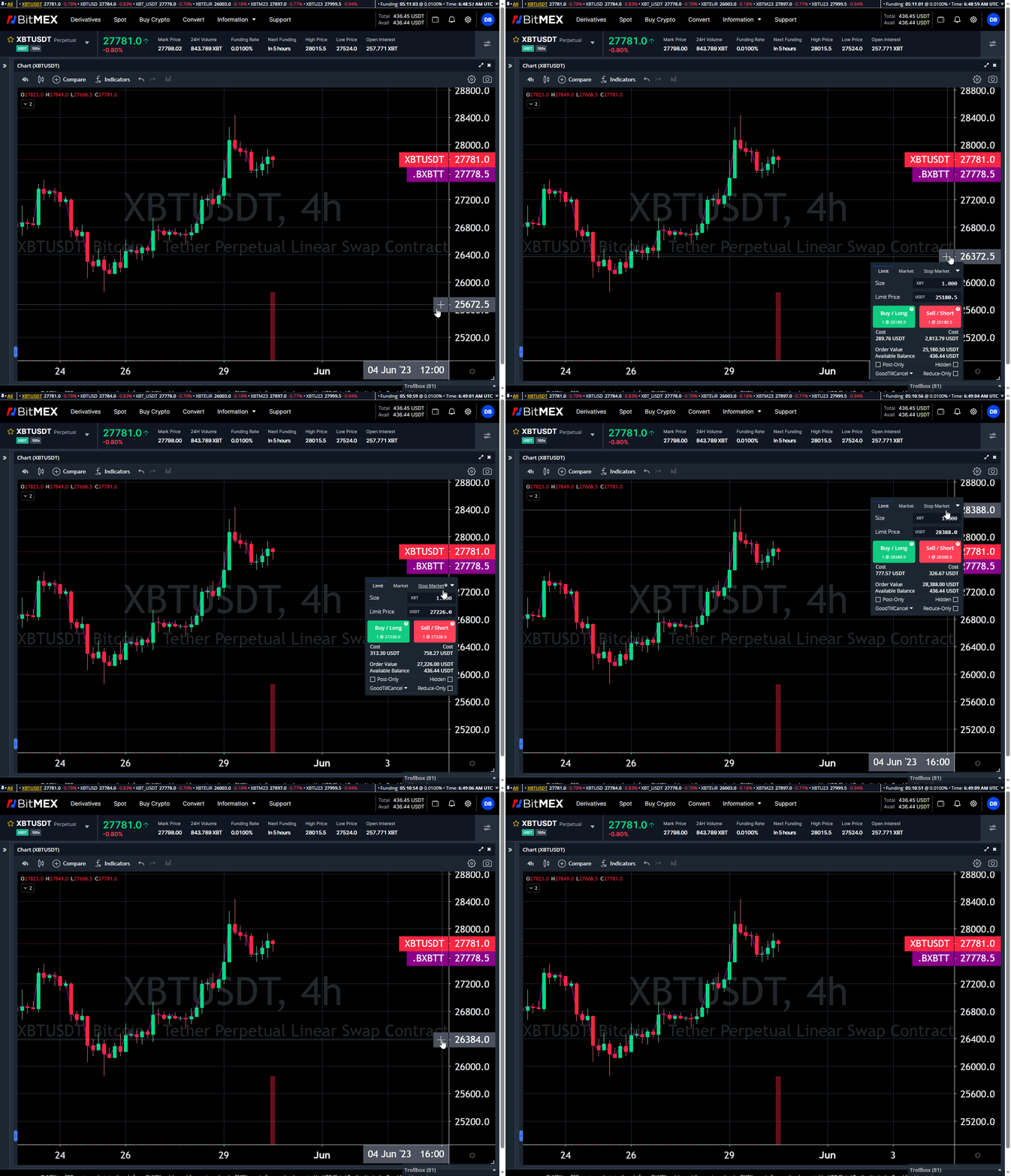
Alternatively, you can also place your order directly on the chart. Learn more about chart trading here.
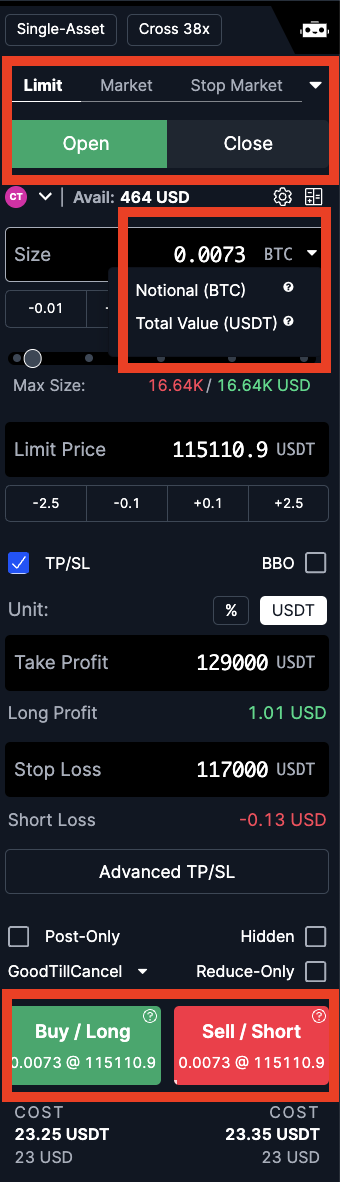
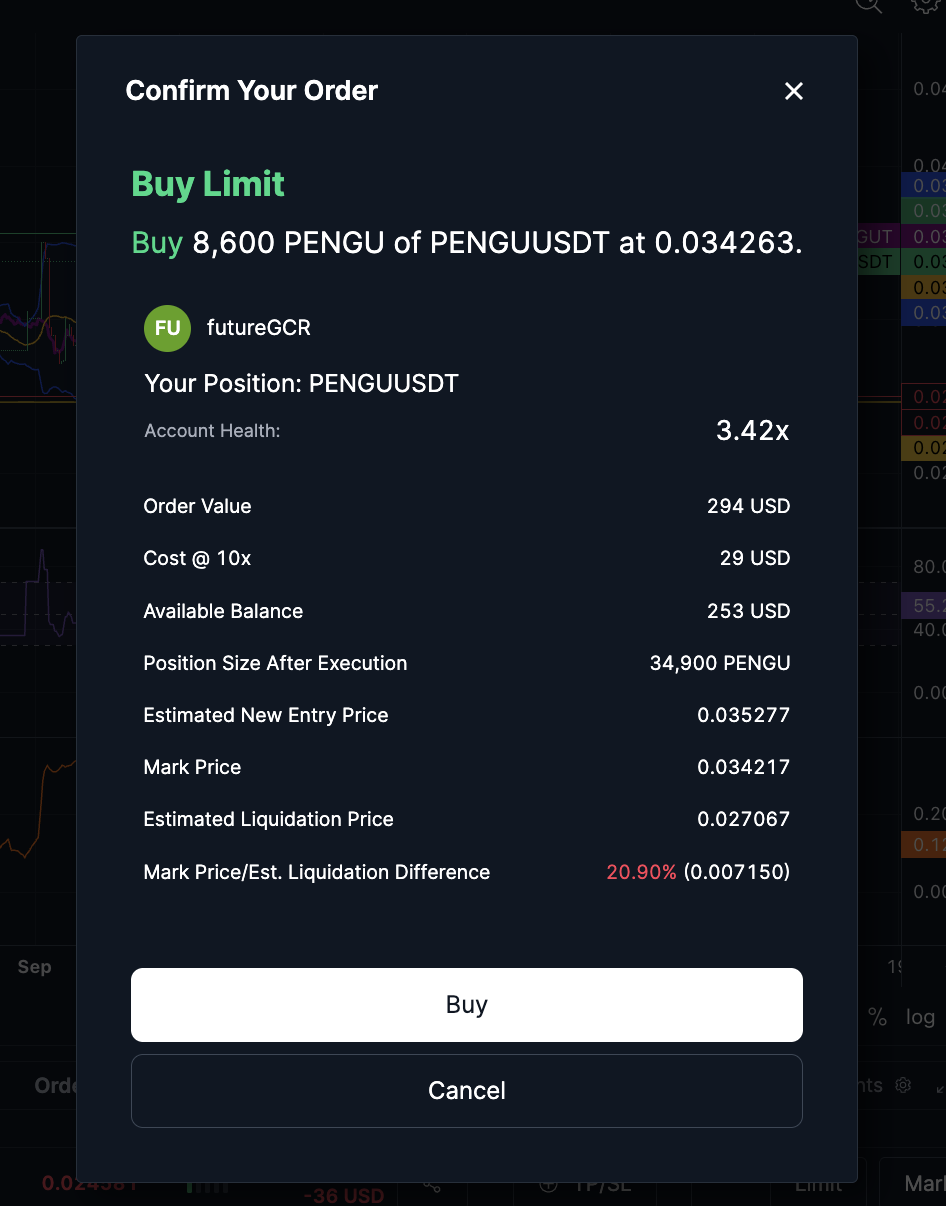
Before you execute your trade, a confirmation window will appear. Take a moment to review all your position details—such as size, leverage, and liquidation—before proceeding.
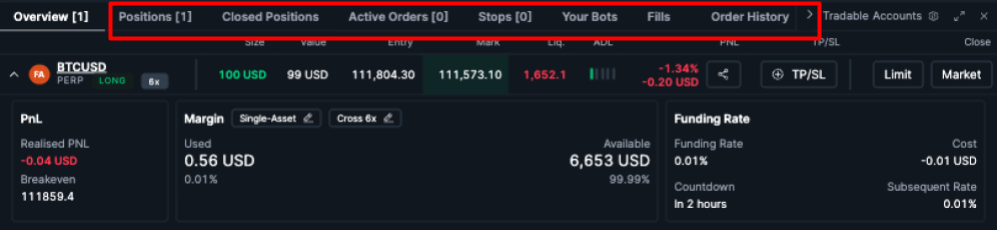
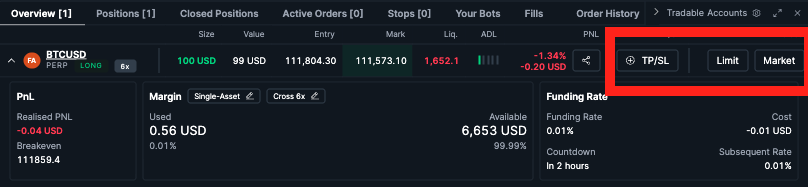
Once your order is filled, your active position will appear in the Overview and Position tabs, where you can view your position details including your breakeven price and margin size. From the same interface, you can easily manage your active orders, stops, and view all historical data by selecting the tabs above.
You have several options to close your position:
Speed and precision are the key to executing trades especially in the crypto markets. Remember to start with a plan, manage your risk, and monitor your trades. You can start trading on BitMEX here.
If you haven’t signed up for a BitMEX account yet, we’re currently offering $5,000+ worth of trading credits to new users – you can register here.
To be the first to know about our new listings, product launches, giveaways and more, we invite you to join one of our online communities and connect with other traders. For the absolute latest, you can also follow us on Twitter, or read our blog and site announcements.
In the meantime, if you have any questions please contact Support who are available 24/7.
The post How to Place a Trade on BitMEX appeared first on BitMEX Blog.





